Most businesses already have a Google Business Profile. That isn't the problem.
The problem is that the profile sits there half-managed, half-trusted, and loses leads every week. Hours drift out of date. Categories stay too broad. Reviews come in without responses. Local managers make edits without oversight. Then the business wonders why calls are inconsistent, why maps visibility stalls, or why a suspension suddenly wipes out a major lead source.
That's why google business profile management has to be treated like an operating system, not a setup task. Google's own performance reporting shows that a profile can be measured through searches, views, calls, website clicks, messages, bookings, and directions, which makes it a real acquisition channel rather than a simple directory entry (Google Business Profile performance metrics).
The businesses that win locally usually aren't doing anything magical. They run tighter systems. They protect core data, prioritize the fields that matter, publish updates on a schedule, respond to customers consistently, and tie profile activity back to leads and revenue. That's the playbook.
Your GBP Is Leaking Revenue. Here's How to Fix It.
A prospect searches for a service on their phone, sees your profile in Maps, taps it, hesitates for five seconds, then calls a competitor. That loss rarely shows up in a clean line item. It happens through wrong hours, thin photos, weak review coverage, unanswered questions, or a profile that gives people one more reason to keep comparing.
That is why I treat Google Business Profile management as an operating system for local lead flow, not a one-time setup task. The profile sits in the middle of high-intent searches where people want to choose fast. In many local categories, the website is not the first checkpoint. The profile is.
Google has said that more than 16 million U.S. businesses have claimed their Business Profiles on Google, which tells you how crowded this channel is for local demand capture (Google Economic Impact report). A profile does not need to be broken to lose revenue. It just needs to be less convincing, less current, or harder to act on than the one next to it.
The practical shift is simple. Stop treating GBP like a directory listing and start managing it like a revenue asset with inputs, controls, and measurable outputs.
That changes how the work gets done.
A strong management system ties every profile action to one of four jobs:
- Protect conversion readiness. Keep customer-facing facts accurate so calls, visits, and bookings do not get lost.
- Increase qualified visibility. Align categories, services, and content with the searches that bring in profitable work.
- Create trust at the point of choice. Use reviews, photos, posts, and Q&A to remove friction before the click becomes a lead.
- Measure business impact. Track which locations and actions produce calls, direction requests, bookings, and closed revenue.
Teams waste money here. They make random edits, upload a batch of photos once a quarter, swap categories after a ranking dip, or let three different people update hours with no approval process. The profile stays active, but performance stays inconsistent because no one is managing the system behind it.
The trade-off is not between speed and quality. It is between controlled execution and preventable mistakes. Fast, undisciplined edits can create duplicate listings, trigger support headaches, confuse customers, and in some cases increase suspension risk. Controlled updates take longer at the start and save far more time later.
A high-performing GBP is usually not the one with the most fields filled in. It is the one run with clear ownership, accurate data, regular engagement, and reporting that ties profile activity back to leads and sales.
GBP Foundations Setup Verification and Core Data
A profile can look polished and still lose leads every day.
It happens when calls route to the wrong number, hours are out of date, a duplicate listing splits reviews, or a suspended profile sits unresolved while the location keeps paying for ads. Foundation work prevents those losses. It also gives the business a system it can scale across one location or fifty.
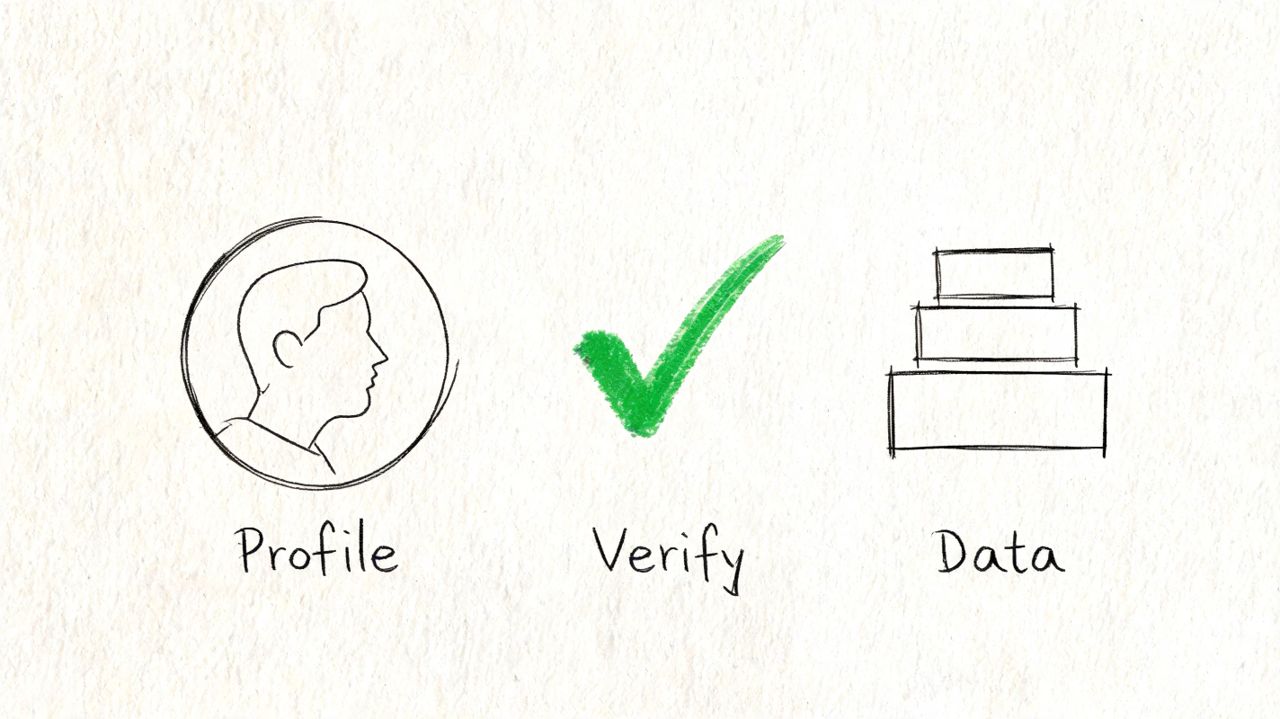
Start with ownership and profile control
The first audit is not about keywords or photos. It is about control.
Before I approve any edits, I confirm that the business owns the right listing, that primary ownership is held by a company-controlled account, and that no duplicate profile is competing for visibility or customer actions. If a former agency, employee, or franchise operator still controls primary ownership, every future change becomes slower and riskier.
Use a tight process:
- Search Google Search and Maps before creating anything. Existing profiles are often overlooked.
- Request access to the live listing instead of building a new one. Duplicate creation causes ranking confusion, review split, and support problems.
- Keep primary ownership with the business. Vendors can be managers. They should not be the long-term point of control.
- Choose the right profile model from the start. A staffed storefront, a service-area business, and a hybrid operation each need different setup choices.
- Use a real customer-facing or staffed address when the model allows it. Virtual offices, mailboxes, and loose interpretations of eligibility create avoidable suspension risk.
This is also the stage to document who approves changes, who has manager access, and where login recovery details are stored. Teams skip that step until a location manager leaves and no one can get into the profile.
Build core data like an operating record
Core GBP data should match the business as it exists in the physical world and across its other assets. That sounds simple. In practice, revenue leaks start at this point.
Google needs consistent signals. Customers do too. If the profile name, location page, call tracking setup, hours, and service area all tell a slightly different story, rankings get less stable and conversions drop because trust drops first.
I treat the core fields below as controlled data, not marketing copy:
| Field | Why it matters | Common mistake |
|---|---|---|
| Primary category | Sets relevance for many local searches | Picking a broad category instead of the closest fit |
| Business name | Confirms entity identity and trust | Adding city or service keywords that are not part of the real name |
| Address and service area | Affects eligibility and geographic relevance | Showing an address for a service-area business that should be hidden |
| Phone number | Connects profile activity to lead handling | Swapping numbers without a tracking and citation plan |
| Website URL | Sends high-intent traffic to the right destination | Pointing every listing to the homepage instead of the matching location page |
| Hours | Influences calls, visits, and customer confidence | Leaving holiday or temporary hours outdated |
A few setup rules prevent cleanup work later:
- Choose the most precise primary category available.
- Keep name, address, and phone consistent across GBP, the website, and major citations.
- Use secondary categories only when they reflect real services delivered at that location.
- Match the website to the profile. If the GBP says one thing and the location page says another, Google has conflicting inputs.
- Decide how call tracking will work before launch. A bad number strategy breaks attribution or creates citation inconsistency.
For service businesses, the address and service-area decision deserves extra care. I see this mishandled all the time. A business wants to rank in multiple cities, so it forces storefront logic onto a service-area setup or lists places where no team can realistically serve customers. That may create short-term visibility in edge cases, but it creates a weaker profile and more policy exposure over time.
Verification is an operations task, not a one-time checkbox
Verification should be handled like a controlled workflow.
That means assigning an owner, documenting the method used, saving supporting business records, and logging the exact profile state before and after verification. If Google asks for proof later, the team should not be scrambling through old emails and scattered screenshots.
For businesses using visual media to improve trust after setup, tools like Virtual Tour Easy can support location presentation. That work belongs after the profile is eligible, controlled, and structurally accurate.
The practical goal is simple. Build a profile that the business can defend, update, and measure without creating avoidable risk. Strong foundations do not just support rankings. They protect lead flow, reduce support friction, and make every later optimization easier to manage.
Advanced Profile Optimization for Maximum Visibility
Once the foundation is stable, optimization becomes a prioritization problem.
A lot of businesses treat profile completeness like a scavenger hunt. They fill every field because it exists. That approach wastes time and sometimes muddies relevance. The stronger approach is to decide which elements sharpen positioning, which improve conversion, and which are mostly maintenance.
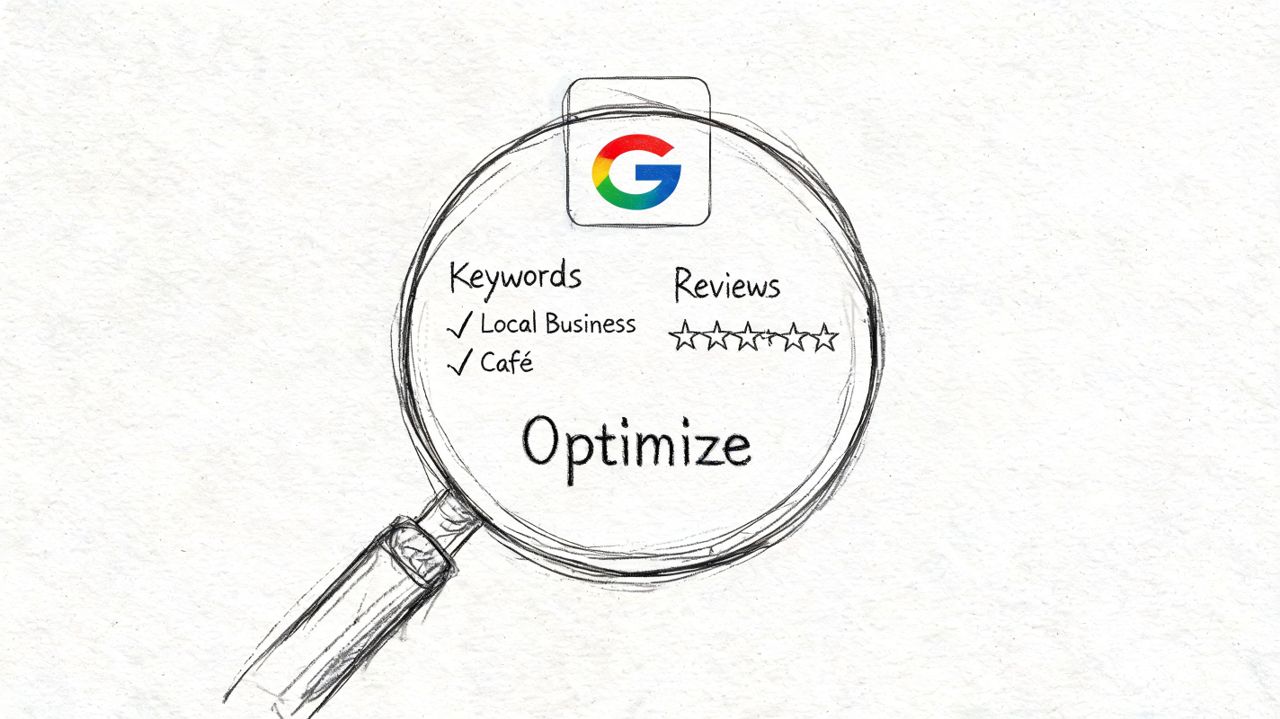
Prioritize fields by impact not by completeness
Moz notes that several GBP fields can affect visibility and that some attributes have shown solid ranking impact, but the practical question is prioritization. More fields don't automatically mean more relevance if they aren't tightly aligned to the core business (Moz on GBP profile fields).
That changes how I optimize profiles.
I split fields into three buckets:
| Priority | Focus | Examples |
|---|---|---|
| Weekly maintenance | Fields that affect customer decisions and operational trust | hours, reviews, Q&A, photos, posts when relevant |
| Quarterly audit items | Structured relevance and drift control | categories, services, attributes, descriptions |
| Leave alone unless the business changes | Sensitive identity fields | business name, address model, core ownership setup |
That framework prevents over-editing. It also keeps teams from "optimizing" stable fields that didn't need changes.
Use profile elements to pre-qualify the lead
The best profiles answer buyer questions before the click.
For service businesses, that means using services to describe what the location delivers and where useful, using products to surface named offers, packaged services, or high-interest items that help a searcher self-select. The distinction matters. Services explain capability. Products often help frame a clearer commercial offer.
Attributes matter too, but only when they reflect reality. If an attribute supports how a customer searches or chooses, it's worth maintaining. If it's technically available but marginal to the business, it can dilute the profile rather than help it.
A practical filter:
- Keep fields that improve relevance. Category alignment, core services, legitimate attributes.
- Keep fields that reduce friction. Booking options, appointment indicators, accessible service details.
- Skip fields that add noise. Anything that broadens the business beyond its actual core offer.
The job isn't to fill space. The job is to make the profile easier for Google to understand and easier for a buyer to trust.
This is also where media choices become strategic. For businesses with a physical experience, immersive visual assets can help prospects validate the location before they call or visit. If you're evaluating visual formats beyond standard photos, this guide to Virtual Tour Easy is a useful reference for understanding how Street View style virtual tours fit into a local visibility workflow.
Visual proof matters when the click is local
Photos do two jobs. They improve confidence, and they reduce mismatch between expectation and reality.
The strongest image sets usually include:
- Exterior proof so customers recognize the building and signage
- Interior context so the space feels real and current
- Team and delivery proof so service quality feels credible
- Service or product proof so the buyer sees what they're choosing
This walkthrough is worth watching if you're refining the profile beyond basic field edits:
Descriptions should follow the same logic. Clear, factual, and specific beats promotional language every time. A profile that says exactly what the business does, for whom, and in what area usually performs better than one trying to sound like ad copy.
Advanced optimization works best when each field supports one of three outcomes: better relevance, better pre-qualification, or better conversion.
The Engagement Engine Reviews Q&A and Posts
A profile with no activity starts to look unmanaged, even if the data is technically correct.
That's where reviews, Q&A, and posts do their work. They create visible proof that the business is active, responsive, and current. More importantly, they shape the buyer's decision before a call or click ever happens.
Build a review request process into delivery
Most businesses ask for reviews inconsistently. Staff remembers when the customer is happy, forgets when it's busy, and then wonders why review velocity drops.
The fix is operational, not motivational. Tie review requests to moments in the customer journey where satisfaction is highest and the request feels natural. For a local service business, that may be right after the work is completed. For a medical practice, it may be after a successful visit follow-up. For a B2B local firm, it may be after onboarding or project delivery.
A review workflow that holds up:
- Choose trigger points. Identify the exact customer moments where the ask should happen.
- Assign ownership. Someone has to own sending, monitoring, and responding.
- Use templates carefully. Keep language consistent, but don't sound robotic.
- Respond on a timetable. Fast responses show the profile is monitored.
- Log issues from negative reviews. Reviews should improve operations, not just reputation.
If a business is also formalizing response workflows across channels, this resource on online reputation management is useful for thinking through process design beyond GBP alone.
Treat Q&A like public sales enablement
Most businesses ignore Q&A until a customer posts something awkward, inaccurate, or unanswered.
That's a mistake. Q&A is one of the most underused conversion surfaces inside GBP. It lets you clarify service areas, appointment expectations, turnaround times, accessibility details, parking, payment options, and edge-case concerns that stop buyers from reaching out.
A good Q&A system includes both monitoring and seeding. If the same questions come up in calls, emails, or front-desk conversations, they belong in GBP Q&A.
Answer public questions the way your best salesperson would answer them. Clear, direct, and specific enough to remove hesitation.
Questions worth adding proactively:
| Customer concern | Better GBP Q&A topic |
|---|---|
| “Do you serve my area?” | service area coverage |
| “Do I need an appointment?” | booking and walk-in policy |
| “What should I bring?” | visit preparation |
| “How fast can you help?” | response time expectations |
| “Do you offer this specific service?” | service availability by location |
Use posts for timing not volume
Google Posts are often treated like a weak social channel. That's the wrong model.
Posts work best when they support timing-sensitive business goals. Holiday hours. Seasonal services. Limited offers. Event reminders. New product arrivals. Short-term operational changes. They are most useful when a customer searching now needs current context now.
An effective posting cadence is usually lighter than people expect. Monthly or quarterly publishing can work when the content has a reason to exist, and practitioner guidance commonly recommends structured posting along with ongoing Q&A and review responses as part of a healthy workflow.
What works in posts:
- Operational updates that reduce confusion
- Offers that create urgency
- Events that need visibility before a date
- Featured services that deserve temporary emphasis
What doesn't:
- Generic motivational content
- Recycled social filler
- Keyword-heavy copy with no user value
Reviews build trust. Q&A removes doubt. Posts create timely reasons to act. Together, they turn GBP from a passive listing into a working sales surface.
Scaling Up Multi-Location and Bulk Management
Managing one profile is optimization. Managing many profiles is governance.
That's the point most local SEO advice misses. Multi-location brands don't usually fail because they forgot to upload enough photos. They fail because nobody owns permissions, update workflows, or audit discipline across locations.
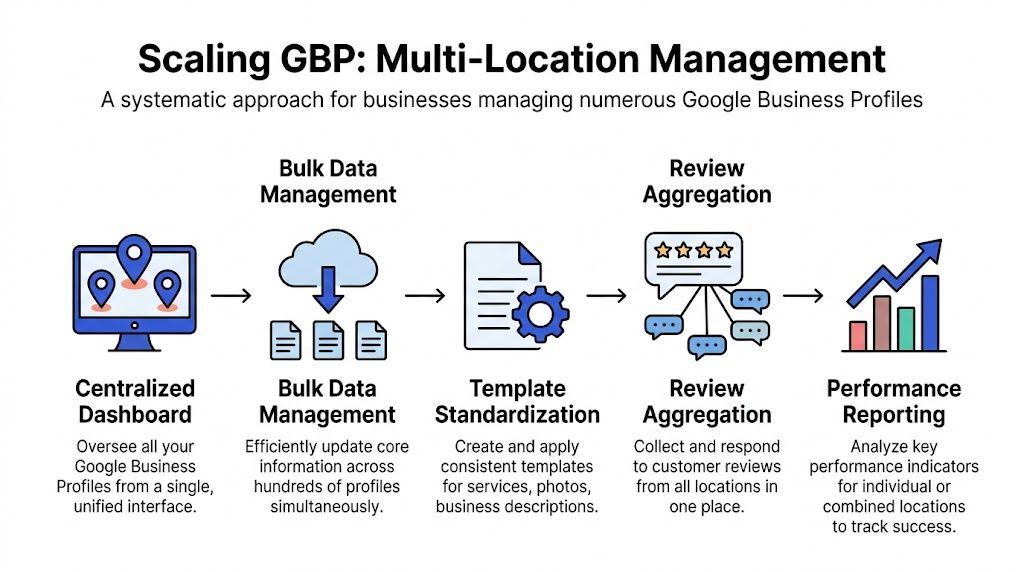
The operational side of Google Business Profile management for multi-location brands centers on governance, permissions, audit trails, and reporting at scale. Brands with many locations need consistency across hours, attributes, and services, and the main challenge is putting the work on a schedule and assigning accountability to prevent drift and suspension risk (multi-location GBP management best practices).
Governance first
If a franchise has dozens of locations and every location manager can freely edit name, category, hours, and services, errors become inevitable.
A better model separates strategic control from local input.
For example, in a larger franchise setup:
- Corporate controls ownership, categories, naming conventions, and policy-sensitive fields.
- Regional or local teams can request updates to hours, photos, and local operational details.
- One team reviews changes before they go live on sensitive profiles.
- Every recurring task sits on a schedule with a named owner.
That sounds restrictive. It is precisely what keeps the system usable.
Consistency beats local improvisation
Multi-location businesses often want each location to feel locally relevant. That's reasonable. The problem starts when local relevance turns into uncontrolled variation.
Here's where standardization helps:
| Centralized element | Local flexibility |
|---|---|
| brand naming pattern | local photos |
| primary category rules | local post timing |
| service taxonomy | local review responses within policy |
| attribute standards | location-specific operational updates |
| reporting format | local escalation notes |
This keeps the brand coherent while still letting local teams reflect reality.
A multi-location GBP program should feel more like operations management than channel marketing.
A workable model for larger brands
Take a business with a large footprint, multiple managers, and frequent operational changes. The practical solution isn't constant optimization. It's a controlled workflow.
A usable system usually includes:
- Business groups or account organization so profiles are structured logically
- Permission tiers so not everyone edits everything
- Templates for descriptions, service naming, and asset standards
- Audit logs or change tracking so teams know what changed and when
- Location-level reporting so underperforming profiles are easy to spot
- Scheduled reviews for hours, attributes, holiday changes, and duplicates
What breaks at scale is ad hoc work. Someone notices a wrong closing time, someone else changes a category, a third person updates the phone number on one profile but not the website, and now the brand is cleaning up trust issues rather than generating demand.
The businesses that handle multi-location GBP well usually do something simple and unfashionable. They operationalize it.
Measuring Success KPIs Reporting and Automation
A profile can look healthy in GBP and still underperform as a lead channel.
I see this often. A location gains more visibility after a category cleanup or photo refresh, the team reports a win, and revenue stays flat because calls did not rise, form fills did not improve, or low-intent leads increased. GBP management needs a measurement system tied to business outcomes, not a stack of activity metrics.
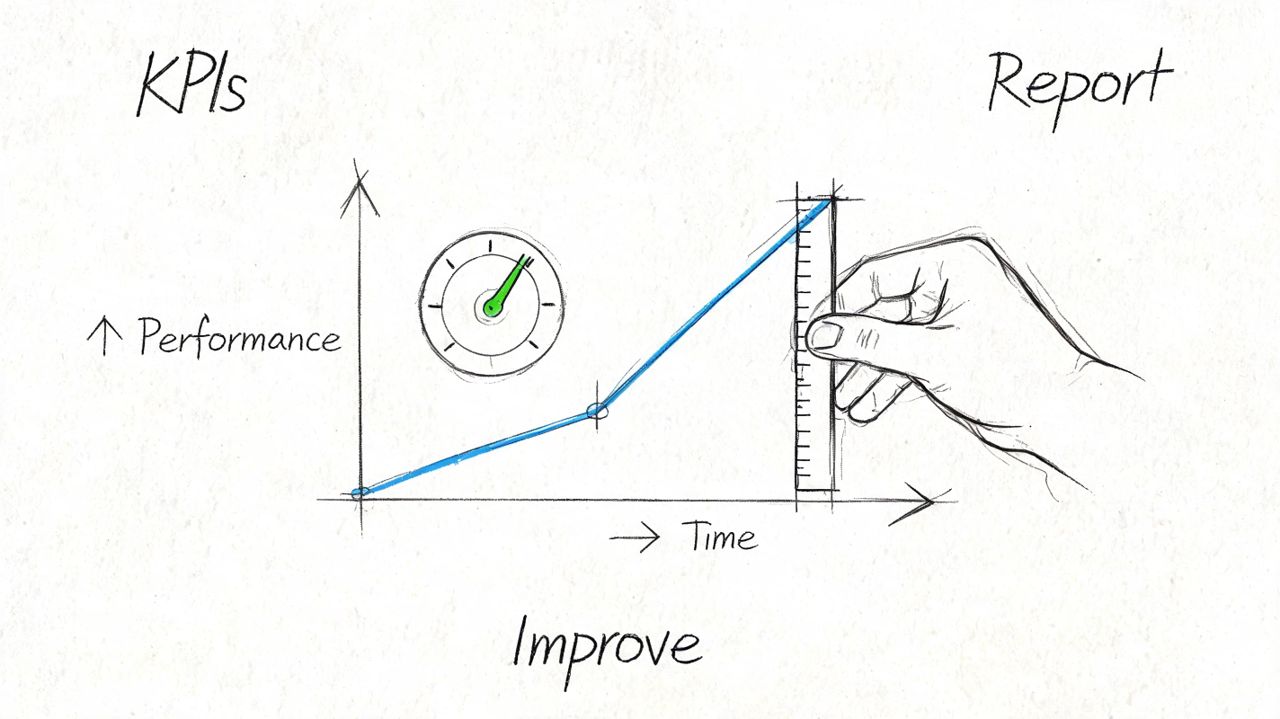
Read GBP data like an operator
Start with one rule. Separate visibility metrics from action metrics, then connect both to closed-loop reporting.
Visibility metrics show whether the profile is being surfaced. Action metrics show whether that visibility is turning into commercial intent. Revenue metrics show whether the leads were worth having in the first place. Without all three layers, teams end up optimizing for motion instead of profit.
| Metric type | What it tells you | Why it matters |
|---|---|---|
| Searches and views | exposure and discovery pattern | useful for context, weak as a standalone KPI |
| Calls | direct inquiry intent | strong signal for service businesses |
| Website clicks | interest beyond the profile | matters if landing pages convert |
| Messages | active conversation intent | useful when response speed is controlled |
| Bookings | completed action inside the profile flow | closest native GBP action to conversion |
| Directions | visit intent | useful for storefronts and appointment-based locations |
The next step is where many teams stop too early. Calls should be matched to answered rate, lead quality, and booked jobs. Website clicks should be checked against landing page sessions, conversion rate, and CRM attribution. Direction requests matter more when they line up with walk-ins or appointment volume.
That is the operating model. GBP creates demand, the website or front desk captures it, and reporting shows which locations turn profile activity into revenue.
Build reports that trigger decisions
A good monthly report is short enough to read and specific enough to act on.
Use a format that answers three questions:
- What changed
- What did that change do to lead volume or lead quality
- What action gets taken this month
For single-location businesses, that usually means one page of trend lines, exception notes, and next actions. For multi-location brands, the report needs a second layer. Add location comparisons, outlier flags, and a simple status model so operators can see where intervention is needed.
A monthly GBP report should include:
- Search and Maps trend notes
- Calls, clicks, messages, bookings, and directions
- Branded vs non-branded query patterns
- Location-level drops, spikes, or anomalies
- Review volume and response coverage
- Operational changes made during the month
- Lead quality notes from sales or front desk teams
- Next-month actions with owners
If stakeholders need a cleaner dashboard format, this guide to reporting on Google Business Profile data is a useful reference for recurring reports that people will review.
Track the KPIs that affect revenue
The strongest KPI set is usually smaller than teams expect.
I track five categories first:
- Visibility quality, usually non-branded discovery trends and category alignment
- Lead actions, such as calls, messages, bookings, clicks, and direction requests
- Capture efficiency, including missed calls, slow replies, weak landing pages, or broken booking flows
- Lead quality, based on service relevance, geography, and close rate
- Location compliance, such as hours accuracy, duplicate risk, and unresolved profile issues
The system approach matters in these instances. If one location gets plenty of calls but closes poorly, the fix may be intake training, not profile edits. If another location gets strong rankings but weak website conversions, the issue sits on the landing page. If direction requests drop after a service-area change, check whether the edit reduced local relevance.
Teams that isolate GBP from the rest of operations miss these trade-offs.
Automate admin, keep judgment human
Automation works best in the parts of GBP management that are repetitive, time-sensitive, and low-risk.
Good uses of automation include:
- Scheduled report delivery
- Review request workflows after completed jobs
- Task creation for missing fields or stale assets
- Alerts for unusual drops in actions
- Reminders for holiday hours and recurring audits
Bad uses of automation include:
- Bulk edits to names, categories, addresses, or phone numbers without review
- Auto-published responses that can create policy or brand issues
- Scheduled changes with no approval step for local operations
- Any workflow that hides who changed what and why
I want automation to reduce admin load and improve response time. I do not want it making judgment calls on fields that can trigger confusion, bad leads, or suspension risk.
The best GBP programs run on a simple loop. Measure the right actions. Compare them to lead quality and close rate. Fix the constraint. Then document the change so the next report shows whether it worked.
Common Pitfalls Troubleshooting and a Service Roadmap
Suspensions create panic because they interrupt lead flow. Panic is also what makes recovery slower.
The common reaction is to start editing everything. Change the name. Remove categories. update the address. rewrite the description. submit another request. Ask three people to log in and try again. That usually makes the case dirtier, not cleaner.
Google's policy is straightforward on the fundamentals. A Business Profile must represent a real business accurately, with either a location customers can visit or a service-area model that legitimately serves customers, while avoiding prohibited content and behavior. When problems happen, the strongest remediation process is to diagnose the cause, correct only the violating fields, prepare documentation, and submit a structured appeal. Broad edits without understanding the violation can prolong recovery (Google's business representation and suspension guidance).
What usually goes wrong
Most serious GBP issues come from a handful of causes:
- Inaccurate representation such as misleading naming or location details
- Category abuse where the profile tries to rank for work the business doesn't center on
- Address problems involving ineligible or poorly represented locations
- Duplicate or practitioner confusion especially in businesses with multiple staff profiles
- Uncontrolled edits made by multiple people without policy understanding
The wrong instinct is to assume more editing equals more compliance.
A calmer suspension response works better
Use a tighter process instead:
- Identify the likely trigger. Look at recent edits, ownership changes, address adjustments, or category shifts.
- Check the profile against policy. Don't rely on memory.
- Correct only the problematic fields. Leave unrelated fields alone.
- Prepare proof. Business documentation, signage evidence, and operational legitimacy matter.
- Submit one clean appeal. Structure matters more than volume.
- Freeze random edits during review. Too many changes can create new inconsistencies.
When a profile is suspended, the first job isn't optimization. It's evidence control.
A practical management roadmap
Different businesses need different levels of system maturity.
Single location
- Weekly review monitoring and response
- Monthly check on hours, photos, Q&A, and key actions
- Quarterly audit of categories, services, and competitors
Growing local business
- Defined ownership and editor roles
- Shared checklist for posts, review response SLAs, and profile updates
- Quarterly reconciliation between GBP, website, and major citations
Multi-location brand
- Central governance for sensitive fields
- Location-level reporting and audit trails
- Scheduled bulk reviews for hours, services, attributes, and access permissions
- Formal escalation process for suspensions, duplicates, and unauthorized edits
Most businesses don't need more tactics. They need a management system that protects lead flow and limits avoidable mistakes. If that's missing, local visibility stays fragile no matter how many optimizations get checked off.
Frequently Asked Questions About GBP Management
How often should a Google Business Profile be updated
Update it whenever the business changes, and maintain it on a schedule even when nothing major changes. In practice, reviews, Q&A, hours, photos, and temporary operational details deserve regular attention. Categories and core identity fields should be reviewed less often and changed only when the business itself changes.
Should every available GBP field be filled out
No. Relevance beats completeness. Fill the fields that accurately describe the business and help customers act. Leave out anything that adds ambiguity, broadens the offer unnaturally, or creates policy risk.
What's the best way to manage GBP for a service-area business
Use the service-area model only if the business travels to customers. Keep service areas realistic, align the website with the same geography, and avoid pretending to have staffed offices where none exist. The profile has to reflect how the business operates.
Can agencies or freelancers own the profile
They can help manage it, but the business should control primary ownership. That protects access if the relationship ends and reduces the risk of lockouts, duplicated listings, or messy transfer disputes.
What should I do if a former employee still controls the profile
Request access through the proper process instead of creating a new profile. Duplicate creation usually creates more cleanup work and can split trust signals across listings.
Do Google Posts help rankings
Treat posts as an engagement and conversion support feature, not as a guaranteed ranking lever. They are most useful when they communicate something timely that improves customer action.
Is GBP management worth it for B2B companies
Yes, when local trust, branded search, office presence, or regional service coverage matters. Even B2B firms often lose qualified leads through outdated hours, poor review handling, thin profiles, or unmanaged branded search experiences.
If you want a senior operator to turn your Google Business Profile into a measured lead channel instead of a neglected listing, consider working with SEOBRO®. The right engagement starts with a strategic audit, a clear operating model, and a roadmap tied to calls, bookings, qualified leads, and long-term search visibility.