You already know the failure mode. A new product line launches, the content team publishes supporting articles, and six months later the site has hundreds or thousands of URLs with no coherent internal link map. Important pages sit too deep. Old articles link to outdated destinations. High-intent pages depend on whatever links an editor happened to add on publish day.
Manual internal linking breaks because it depends on memory, spare time, and perfect coordination between SEO, content, and dev. None of those scale well.
AI internal linking is useful when you stop treating it like a shortcut and start treating it like an operating system. The right setup helps you identify where authority should flow, which pages are semantically related, and how users should move from informational content into commercial pages. The wrong setup just creates more links, more noise, and more cleanup work.
Introduction Why Manual Internal Linking Is Broken
Internal linking is frequently still approached as a task akin to editorial housekeeping. Someone publishes a page, adds a few contextual links, and moves on. Later, an SEO audit finds orphan pages, weak money pages, diluted anchors, and a site structure that no longer reflects search intent or commercial priorities.
That approach fails for one simple reason. Internal linking isn't a content task. It's a site architecture and revenue routing task.
On a small site, manual work can be good enough. On a growing eCommerce store, SaaS site, or multi-service business, it becomes inconsistent fast. Editors don't know every relevant page. SEOs can't manually revisit every old article. Developers don't want endless one-off requests to add links into templates or body copy.
AI changes the workflow, but it doesn't remove judgment. It helps you analyze similarity, identify opportunities, generate candidate anchors, and produce structured recommendations at scale. That's the benefit. The value isn't in automating link insertion alone. The value is in building a system that aligns semantic relevance, crawl efficiency, and conversion paths.
The Strategic Foundation for AI Linking
AI linking works when the strategy is narrow, explicit, and tied to business priorities. If you skip that step, the model will still generate output. It just won't generate a useful internal link system.
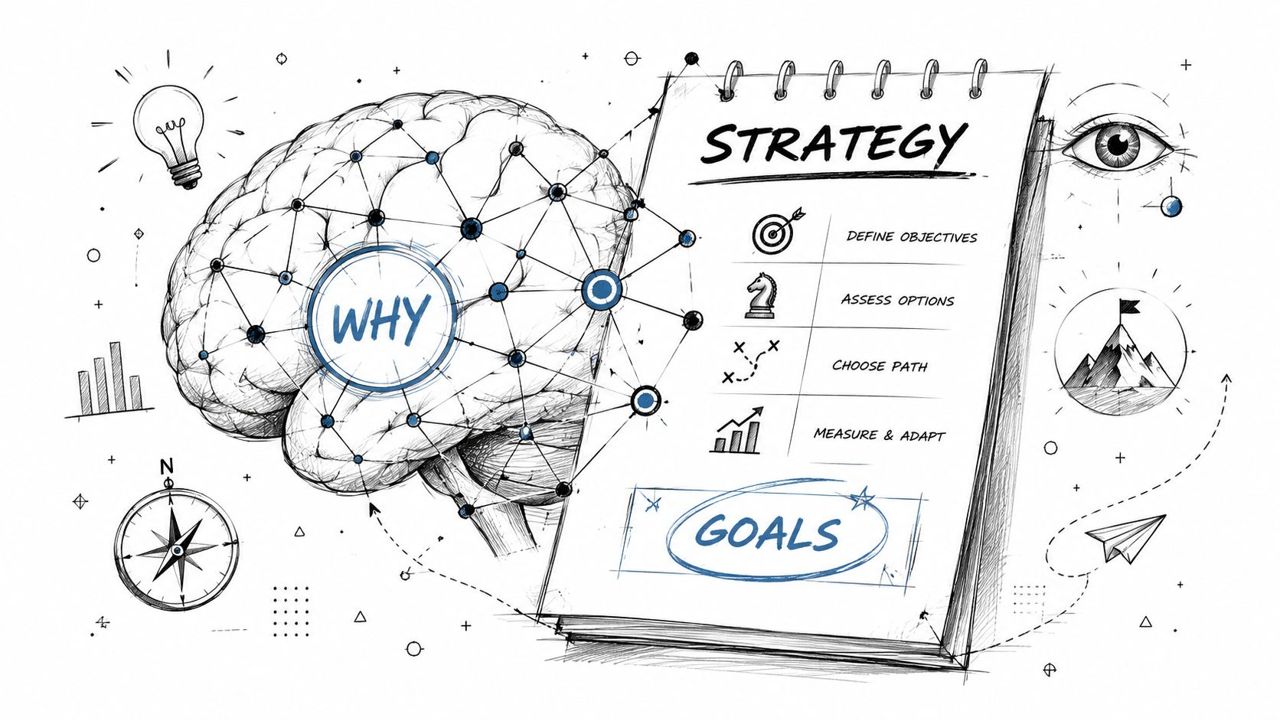
Start with business goals, not link opportunities
Three goals matter most.
First, move internal authority toward pages that drive revenue. That usually means product pages, category pages, service pages, demo pages, or high-converting solution pages.
Second, strengthen topical clusters. AI can help connect articles, guides, use cases, comparisons, and commercial pages that belong to the same semantic neighborhood. That's where internal links stop being navigational and start becoming an authority signal.
Third, improve user pathways. A strong internal link isn't only relevant to a keyword. It moves a visitor from question to solution with as little friction as possible. If your site already has content around adjacent intent, you should be using links to connect research-stage pages with decision-stage pages. That matters even more if you're already working on search intent optimization.
Practical rule: If you can't explain why a target page deserves more internal links in terms of revenue, lead quality, or strategic visibility, don't automate links to it yet.
The real objective is controlled authority flow
A useful reminder comes from Zyppy's internal link study. It analyzed 23 million internal links and found a non-linear pattern. Pages with 0–4 internal links averaged 2 Google clicks, while pages with 40–44 internal links averaged 4 times as many clicks. The same study also found that after about 45–50 internal links to a URL, the effect reversed and Google traffic began to decline.
That matters because many AI workflows optimize for volume. More suggestions. More inserts. More coverage. But internal linking isn't a volume contest. There is a practical ceiling.
The smarter play is controlled distribution:
- Protect commercial pages that need stronger internal support
- Build clusters deliberately around shared intent and entities
- Cap link density so pages don't become bloated or spammy
- Favor contextual body links over sitewide repetition when relevance matters
If you want a broader framework for how AI-driven search visibility connects with classic SEO architecture, the LucidRank AI SEO guide is a useful companion read.
Crawling and Data Prep The Fuel for Your AI Model
Most failed AI linking projects don't fail at prompting. They fail in the input layer.
If your exports are incomplete, stale, or disconnected from business data, the model will produce elegant nonsense. AI is only as good as the crawl and performance data behind it.
What to export before you ask AI for anything
A practical workflow starts with a crawl-based audit of inlinks, outlinks, crawl depth, orphan pages, and link distribution. This internal-linking automation write-up notes that Screaming Frog surfaces these as actionable diagnostics, while Google Search Console and content-audit data are used in more automated systems to identify weak pages and prioritize link insertion.
That lines up with how experienced teams work. They identify the highest-value pages first, add contextual links from semantically related pages, then re-audit the structure to see how authority flow and click distribution change.
Build your source dataset from at least these layers:
- Crawl exports: Pull URL, status code, canonical target, inlinks, outlinks, anchor text, crawl depth, indexability, and orphan-page flags from Screaming Frog.
- Search performance data: Export page-level clicks, impressions, and query themes from Google Search Console.
- Business priority fields: Add your own columns for page type, conversion intent, margin importance, pipeline value, or strategic priority.
- Content metadata: Include title, H1, primary topic, content type, publish date, and whether the page is informational, commercial, or transactional.
A simple sheet with these fields is often enough to get started. The goal isn't to make the perfect database on day one. The goal is to give the model enough context to avoid shallow matching.
How to prep content for semantic matching
Once the crawl is clean, prep content in a format your AI workflow can use.
For smaller sites, a CSV is enough. Include source URL, target URL candidates, short content summaries, target keywords, and anchor constraints. For larger sites, add embeddings so you can compare semantic similarity across thousands of pages without manually reviewing every possible pair.
A practical prep stack often looks like this:
| Data layer | Why it matters | Typical use |
|---|---|---|
| Crawl data | Shows structural reality | Find orphan pages, weak inlinks, depth issues |
| GSC data | Shows search demand and weakness | Prioritize pages with impressions but low clicks |
| CMS content extracts | Gives the model actual context | Generate relevant source-target matches |
| Embeddings | Improves semantic retrieval | Cluster related pages before prompting |
Garbage in, garbage out applies brutally here. If your content summaries are vague or your crawl data ignores canonicals and noindex states, your AI suggestions will pollute the site faster than a human editor would.
For eCommerce sites, add SKU or category relationships. For SaaS, add funnel stage and product area. For service businesses, add location relevance and service family. AI doesn't know which pages deserve commercial support unless you tell it.
If crawl depth is already a problem, it's worth tightening the broader architecture first. That's where work on crawl budget optimization often improves the quality of later linking decisions.
Designing Your AI-Powered Linking Workflow
The best workflow is boring in the right way. It should take messy site data, turn it into a ranked list of opportunities, and output something your team can implement.
A practical prompts-to-CSV workflow
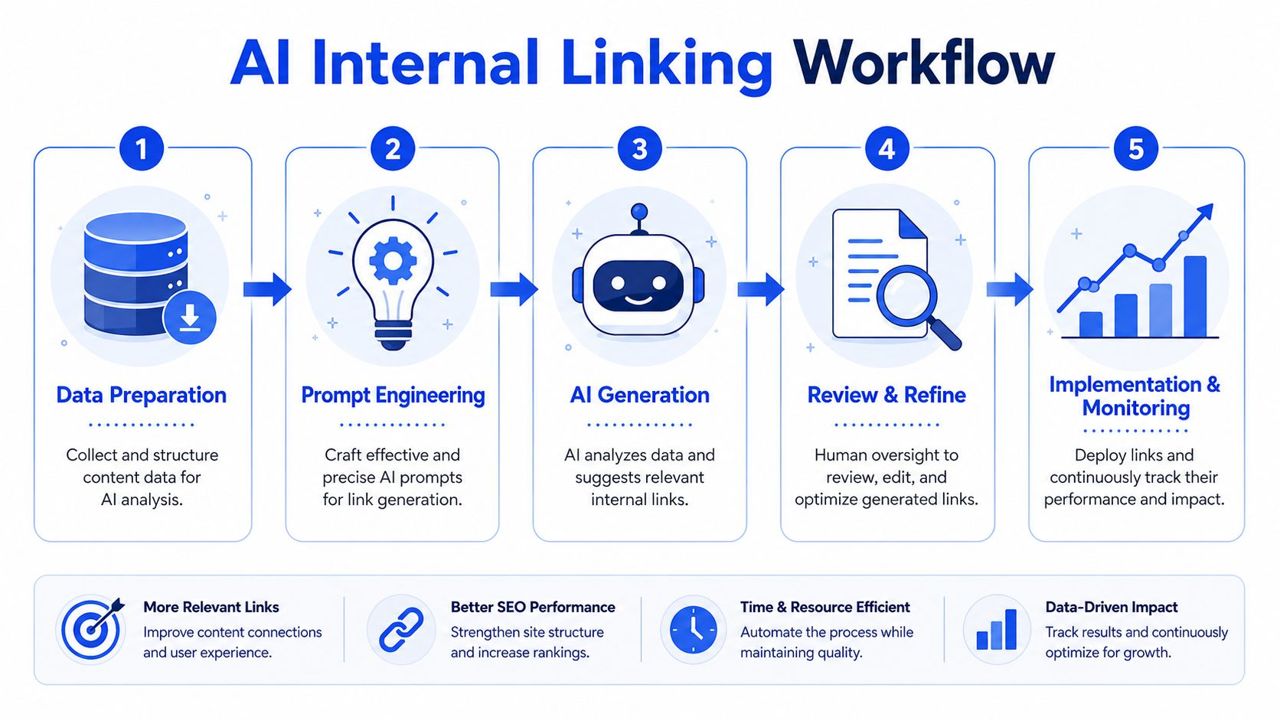
A useful AI internal linking workflow usually follows five actions.
- Export candidate source pages with short content excerpts.
- Define the target page or target page set.
- Feed the model semantic context plus business rules.
- Ask for structured output only.
- Review, score, and export approved suggestions to CSV.
The key is to force structure. Don't ask, "What pages should link to this page?" Ask for output in a fixed schema.
A clean schema looks like this:
| Source URL | Target URL | Suggested anchor | Reason | Confidence | Human review required |
|---|
That format lets you sort, filter, and hand the file to content or dev teams without rewriting everything manually.
Prompt templates that produce usable output
Use prompts that constrain the model tightly.
Prompt for supporting a money page
You are an SEO strategist helping build internal links for a commercial page.
Target URL: [insert URL]
Target topic: [insert topic]
Business goal: [insert revenue or lead goal]
Candidate source pages: [insert URL list with title, H1, excerpt, and page type]
Rules:
- Recommend only contextually relevant source pages
- Prefer informational pages that can naturally support this target
- Avoid utility pages, legal pages, and pages already linking prominently to this target
- Use descriptive anchor text, not exact-match repetition
- Return output as a table with Source URL, Target URL, Suggested Anchor Text, Placement Note, and Reason
Prompt for cluster reinforcement
Review this list of pages within the same topic cluster.
Identify missing internal links that would strengthen topical relationships and help users move from broad educational content to commercial pages.
Flag weak pairings and avoid forced links.
Return only high-confidence opportunities.
Prompt for anchor variation
Generate anchor text options for internal links pointing to [target URL].
Use natural language.
Keep anchors precise and descriptive.
Avoid repeating the same phrasing across every source page.
Match the wording to the source-page context.
Those prompts work because they tell the model what to optimize for and what to avoid. Without constraints, models tend to over-link, overuse repeated anchors, and invent context where none exists.
When embeddings beat prompts alone
Prompts are enough for small and mid-sized sites. Large sites need retrieval before generation.
Embeddings help you identify semantically related source pages before the language model writes recommendations. That matters on sites with thousands of blog posts, product pages, or programmatic landing pages. Instead of sending the model a huge spreadsheet, you first retrieve the closest candidate pages based on semantic similarity, then ask the model to assess fit and suggest anchors.
This produces cleaner output because the model isn't searching blindly. It's evaluating a shortlist.
A practical split looks like this:
- Prompt-only workflow: Best for smaller content sets and one-off linking sprints
- Embedding-first workflow: Better for large archives, multilingual sites, and programmatic SEO
- Hybrid workflow: Best overall when you want both retrieval precision and editorial nuance
For eCommerce teams, forecasting which categories or products deserve internal support often overlaps with broader merchandising and demand planning. That's why Shopify predictive analytics is worth reading alongside linking workflows. It helps frame linking decisions around likely business impact, not just content similarity.
The model shouldn't decide what matters. Your scoring model should decide what matters, and the model should help execute against it.
Implementation and Quality Assurance
A polished CSV doesn't improve rankings. Live links do.
Many teams often lose control. They spend time generating suggestions, then push them into the CMS with minimal review. This often results in irrelevant anchors, broken placements, and sitewide mistakes.
Choose the right deployment model
There isn't one correct way to deploy AI-generated internal links.
For high-stakes pages, manual editing is still the right move. That includes core service pages, top categories, top product templates, and pages with high conversion sensitivity.
For larger rollouts, teams usually choose one of three models:
- Editorial implementation: Content editors place approved links inside page copy. This is slower, but safest for nuanced pages.
- CMS-assisted insertion: Plugins, fields, or content modules help apply reviewed suggestions at scale.
- Scripted updates: Dev or SEO ops teams push changes in batches after QA, often when a site has too many pages for manual handling.
If you're improving transactional URLs, treat the destination page as part of the conversion path. Internal links pointing to product or category pages should support relevance and user movement, not just pass authority. That becomes more important when you're also working on product page optimization.
A QA process that catches expensive mistakes
Use staging. Always.
Before anything hits production, validate the links in a test environment and re-crawl the affected templates or pages. A small formatting error in bulk linking can produce a sitewide mess.
Run a QA checklist like this:
- Destination accuracy: Every link resolves to the intended canonical URL.
- Anchor fit: The anchor reads naturally in the sentence and matches the destination topic.
- Density control: The source page doesn't become overcrowded with links.
- Template safety: No automation rule injects links into navigation, legal text, or repeated boilerplate by mistake.
- Indexation alignment: Don't add internal support to pages that shouldn't be indexed or prioritized.
- Visual review: Spot-check pages in-browser, not only in exports.
A good review process also includes exclusion rules. Some page types shouldn't receive automated contextual links at all. Think privacy policy pages, account pages, checkout paths, or thin utility URLs.
Human review doesn't slow down AI linking. It keeps the site from absorbing low-quality decisions at machine speed.
Measuring Impact Beyond Link Counts
Teams usually track how many links they added. Fewer can tell you which links improved qualified traffic, leads, or revenue.
That gap is still common. This analysis of AI internal linking points out that measurement and attribution remain underserved. Most guidance explains automation, but not how to prove incremental impact on revenue, leads, or indexation instead of just reporting link counts or crawl depth.
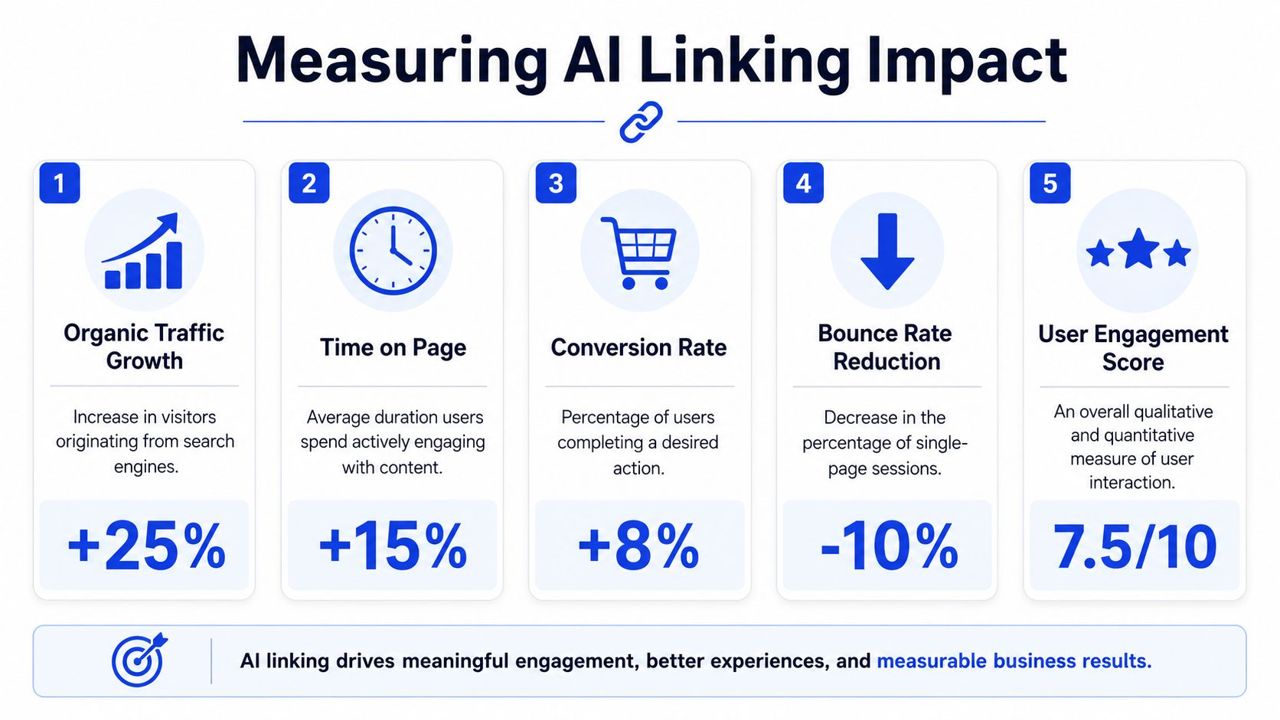
What to measure before and after launch
Start with a baseline. If you don't snapshot the target pages before implementation, you'll end up arguing from opinions later.
Track outcomes in three buckets.
Search visibility
- Organic clicks to target pages
- Impressions for target pages
- Query mix changes
- Indexation and discovery for newly supported pages
Structural improvement
- Crawl depth changes for important URLs
- Inlink growth by page type
- Orphan-page reduction
- Distribution shifts across clusters
Business outcomes
- Lead starts
- Demo requests
- Revenue contribution from target page sessions
- Assisted conversions from linked journeys
The point isn't to force perfect attribution. The point is to create enough control that you can compare pages or groups of pages before and after the link changes.
How to separate relevant links from revenue-driving links
Relevance alone is a weak success metric.
A link can be topically perfect and still do nothing for the business. That's why the strongest measurement setups compare different classes of internal links:
| Link type | Good for SEO structure | Good for business impact |
|---|---|---|
| Informational to informational | Yes | Sometimes |
| Informational to commercial | Yes | Often stronger |
| Commercial to commercial | Useful selectively | Can be strong if journey fit is high |
| Template-wide repeated links | Limited | Often weak unless navigation-driven |
Use annotations in your reporting. Mark when link batches went live, which targets were prioritized, and whether they were intended to improve crawl access, topical reinforcement, or conversions.
Also review user behavior qualitatively. Are visitors moving from guides into category pages? From comparison pages into demo pages? From blog posts into service pages? Internal linking should change navigation patterns, not only crawl graphs.
If your business cares about visibility beyond classic blue links, measurement should also account for citation-friendly architecture and entity clarity. That's one reason some teams pair internal link work with AI search optimization services.
A successful AI linking program doesn't report output first. It reports which target pages became easier to find, easier to understand, and easier to convert from.
Common Pitfalls and How to Scale Safely
The most dangerous phrase in AI internal linking is "set it and forget it."
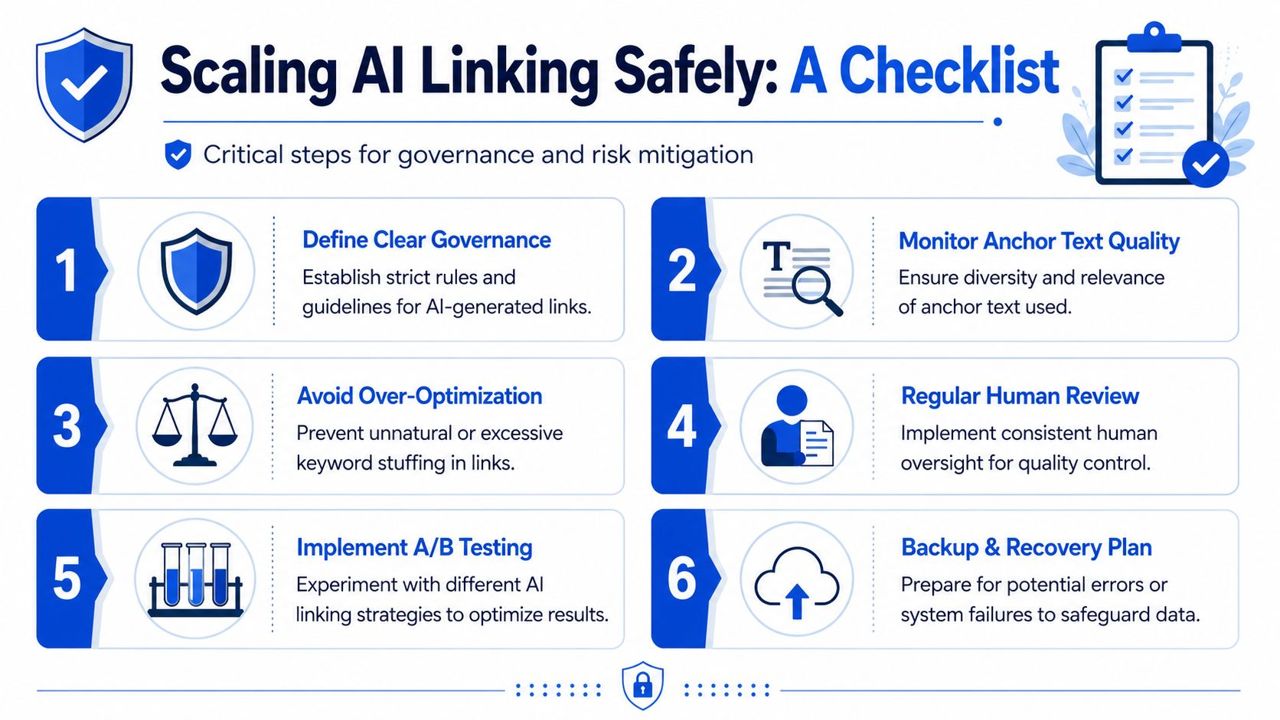
Automation tools can scale far beyond manual editing. This overview of AI internal linking tools notes that Alli AI says it can bulk-insert links across thousands of pages, while other tools like LinkRobot and LinkZoid automate discovery, insertion, orphan-page detection, and broken-link scanning. The same guidance stresses the significant risk. Over-automation without semantic control can misallocate link equity when rules are too broad or anchors are reused carelessly.
What breaks when teams over-automate
The failure patterns are predictable.
- Anchor cannibalization: Too many pages use nearly identical anchors for different targets.
- Irrelevant pairings: Semantic similarity is weak, but the rule inserts the link anyway.
- Template pollution: Sitewide components inherit links that were meant only for body content.
- Commercial dilution: Important pages compete with low-priority pages for internal support.
- Localization errors: Multilingual or regional pages link across the wrong market variants.
Large eCommerce and SaaS sites feel this first because they have the most URL variation and the least tolerance for bad automation.
Governance rules that keep AI useful
Scaling safely means writing policy before rollout.
Use guardrails such as:
- Exclusion rules: Block legal, account, cart, checkout, and thin utility pages from automated contextual linking.
- Anchor controls: Require descriptive anchors and set review flags for repeated phrasing.
- Density caps: Limit how many contextual links can be added to a page or section.
- Approval thresholds: Require human review for high-value templates, multilingual content, and any low-confidence suggestion.
- Recalibration cycles: Re-run crawls and review anchor distribution regularly so the system doesn't drift.
For enterprise sites, governance matters as much as the model. A weak policy will let the tooling do exactly what you asked, just not what you wanted.
Conclusion From Tactical Task to Strategic System
AI internal linking isn't a magic feature. It's a better operating model for a task that many teams have handled manually for too long. The key benefit comes from combining crawl data, semantic analysis, business prioritization, careful implementation, and disciplined measurement.
Done well, internal linking stops being a cleanup task and becomes part of how you shape authority, intent alignment, and conversion paths across the site.
If you want that kind of search system, not just a batch of automated suggestions, consider building it with an experienced strategist who can connect technical SEO, content architecture, and revenue priorities.
Frequently Asked Questions About AI Internal Linking
Is AI internal linking worth it for smaller sites
Yes, if the site already has enough content for manual linking to become inconsistent. On a small site, the best use of AI is usually opportunity discovery and anchor suggestion, not full automation.
What tools are usually involved
Most workflows combine a crawler such as Screaming Frog, Google Search Console exports, spreadsheet work, and an LLM. Larger implementations may add embeddings, vector search, CMS automation, or internal tooling.
Should AI place links automatically
Sometimes, but not by default. Automatic placement works best when you have strong exclusions, anchor controls, and a review layer. High-value pages still deserve manual oversight.
Does AI internal linking help eCommerce sites
Yes, especially when categories, collections, buying guides, comparison content, and product pages need stronger semantic relationships. The biggest gains usually come from better routing into commercial pages, not from adding links everywhere.
Does this work for SaaS and lead generation sites
Yes. SaaS sites often have clear funnel stages, which makes internal linking useful for moving users from educational content into solution, feature, pricing, or demo pages.
What's the biggest mistake teams make
They optimize for link volume instead of business impact. More internal links don't automatically mean better results. Weak targets, repeated anchors, and poor governance can make the site worse.
If you want help building a revenue-focused internal linking system instead of a pile of disconnected recommendations, SEOBRO® can help design the crawl analysis, prioritization model, implementation workflow, and reporting setup that turns internal links into real organic growth.