Product page optimization gets boxed into CRO far too often. That framing leaves revenue on the table, because product pages do more than help a shopper decide. They also determine whether the shopper finds you in the first place.
For ecommerce brands with large catalogs, product pages are often the strongest organic growth surface on the site. They target high-intent searches, capture attribute and variant demand, qualify for rich results, and supply the structured facts that search engines and AI systems use to interpret products. Teams that focus only on button color, gallery order, or above-the-fold layout miss the bigger job these pages need to do.
The primary opportunity sits in the overlap between SEO and conversion.
A strong product page has to rank, earn the click, answer the query, reduce purchase friction, and send clear machine-readable signals about the product, offer, and availability. If one layer breaks, the rest underperform. I see this constantly on Shopify, Magento, and custom ecommerce builds. Good merchandising sits on top of weak indexation, thin product copy, duplicate variant URLs, or missing schema, and the business wonders why category pages carry the whole SEO program.
That gap matters even more now. Google rewards pages that are specific, technically clean, and easy to extract facts from. AI Overviews raise the bar further because they depend on consistent product entities, pricing details, availability, and supporting context. Product page optimization is no longer a post-click discipline. It is a primary driver of rankings, organic traffic quality, and search visibility across standard results and AI-generated experiences.
If you want a platform-specific example of how practitioners approach these pages, the Wand Websites Shopify guide is a useful reference point. The broader takeaway is simpler. Treat product pages as revenue pages for both acquisition and conversion, then build the technical and content systems to support that role at catalog scale.
Beyond Conversion Rate Your Untapped SEO Growth Engine
Teams often treat product page optimization as late-stage CRO work. That leaves a lot of search growth on the table.
A product page does more than close demand. It creates demand capture. It can rank for commercial queries, qualify the click before the visit, answer comparison questions, and give search engines and AI systems clearer evidence about what the product is, who it fits, and why it deserves visibility. If the page only gets optimized for add-to-cart rate, the business caps performance at existing traffic levels.
That changes the way smart ecommerce teams prioritize work. The right question is not just whether a page change improves conversion rate. The better question is whether the change helps the page earn more impressions, attract better-fit searches, and convert that traffic once it arrives. That is how product page optimization shifts from page polish to revenue strategy.
I see this gap all the time on large catalogs. CRO teams test button copy, gallery order, and trust badges, while SEO issues on the same template keep product pages from ranking consistently. The result is predictable. Small conversion gains on a weak traffic base. Product pages should do both jobs. They should persuade buyers and strengthen organic visibility.
Practical rule: If a product page is not built to rank, CRO improvements only affect the traffic you already have.
That is why shallow best-practice lists rarely move revenue in a meaningful way. They focus on what happens after the session starts and ignore how the session is earned. A more useful reference point is this Wand Websites Shopify guide, because it connects practical page improvements to how Shopify product pages perform in search as well as on-site.
For ecommerce brands, this matters most on product templates that scale across hundreds or thousands of SKUs. For SaaS teams, the same principle applies to feature pages, integration pages, and pricing variants. Product page optimization should raise rankings, improve AI Overview eligibility, and increase conversion efficiency from the same page.
The Technical Foundation for High-Performing Product Pages
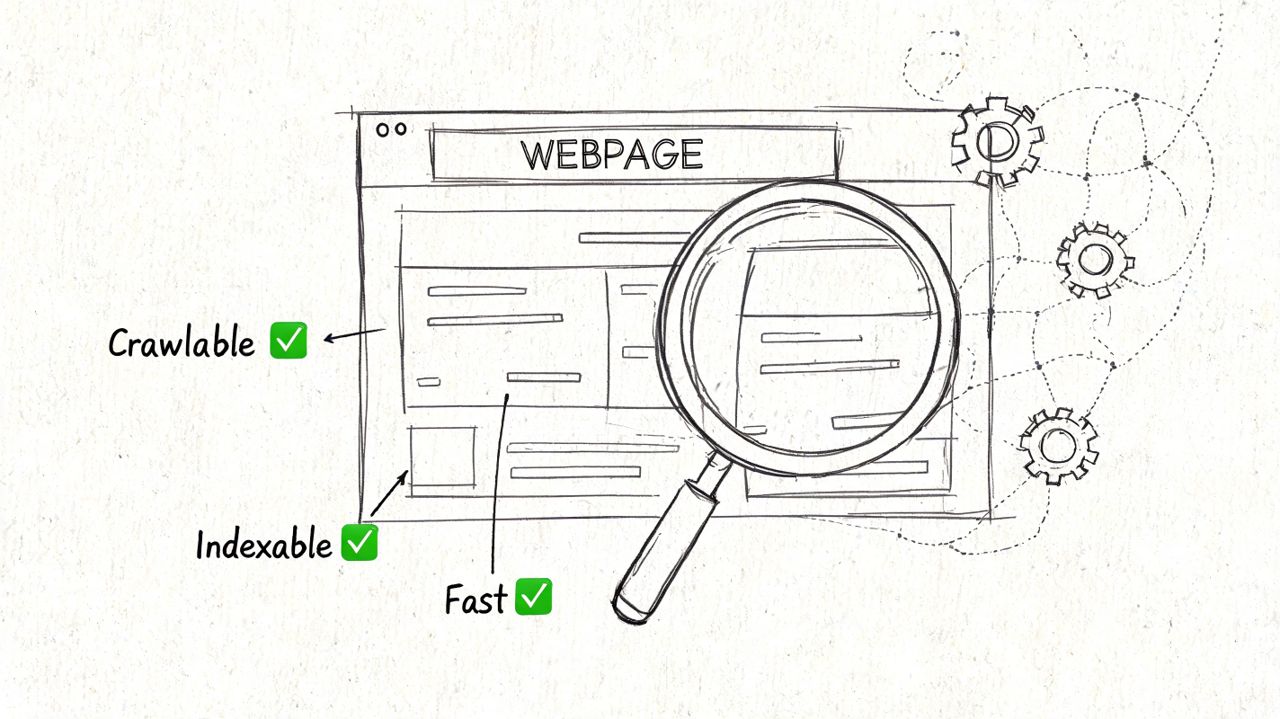
Product pages lose organic revenue long before a buyer sees the copy or clicks Add to Cart. The failure usually starts in the template logic. Search engines find multiple versions of the same product, split ranking signals across variants, and spend time crawling URLs that were never meant to rank.
That pattern is common on large catalogs with color variants, regional pricing, faceted navigation, and parameter-based URLs. It also shows up on SaaS pricing and feature pages when plan versions, geo-targeted pages, or campaign parameters create duplicate paths. As noted in this ecommerce product page mistakes guide, weak structure often leads to fragmented authority, wasted crawl activity, and messy measurement.
Start with crawl and index control
Audit the product templates and URL patterns tied to revenue first. A broad technical audit often buries core problems under redirect chains, blog issues, and low-value archive pages. Product pages deserve their own review because template errors scale fast across hundreds or thousands of URLs.
Check these areas first:
- Canonical consistency. Confirm variant URLs point to the preferred canonical when they should consolidate into one ranking page.
- Indexation rules. Review whether filtered URLs, sort orders, tracking parameters, and internal search results are indexable.
- Status code hygiene. Make sure discontinued products, temporary stock issues, and replaced SKUs return the right status and do not sit as thin dead ends.
- Structured internal links. Check category links, related products, breadcrumbs, and XML sitemaps so they all support the same preferred URL.
- Template duplication. Find near-identical pages created by platform defaults, feed imports, localization gaps, or weak routing rules.
The goal is simple. Search engines should see one clear candidate for each query you want to win.
Choose the right variant model
Variant strategy is where ecommerce SEO and CRO often drift apart. Merchandising teams want flexibility. SEO needs a clean set of indexable URLs. Analytics needs a setup that can attribute revenue to the page that ranks.
Use this decision rule:
| Scenario | Better structure | Why |
|---|---|---|
| Variants differ only by minor attributes like size | Single canonical page with selectable options | Consolidates authority and simplifies tracking |
| Variants have distinct demand, names, or use cases | Separate indexable pages | Gives each variant a clear query target |
| Regional variants differ by currency or fulfillment | Localized URLs with careful canonical and hreflang logic | Preserves regional relevance without duplication |
| SaaS pricing tiers with materially different audiences | Separate pages or strongly segmented sections | Supports intent matching and cleaner measurement |
Separate URLs help when search intent changes. They hurt when they split the same demand across near-duplicates.
A black leather office chair can justify its own URL if buyers search that exact product type. A medium size option usually should not. I push teams to validate this with Search Console query data, paid search terms, and internal site search before they scale a variant structure that creates more cleanup work later.
Fix the URL and internal linking layer
Once the variant model is set, clean up the supporting architecture. Through this effort, many product pages either gain the consistency needed to rank or keep fighting their own site structure.
Use readable URLs based on product names or true variant names. Keep breadcrumb paths stable. Link from category and collection pages with descriptive anchors that match how buyers search. Generic anchors such as “View Product” waste context, and they do nothing to help search engines understand product relationships.
A practical implementation order looks like this:
- Map canonical targets for every product family and variant group.
- Control faceted navigation so filters stay useful for shoppers without creating index bloat.
- Align breadcrumbs and category links to the same preferred product URL.
- Review sitemap inclusion so only index-worthy product URLs are submitted.
- Reconcile analytics with SEO targets so reporting reflects the page that earns visibility and revenue.
Teams that already run CRO testing should connect this work to measurement. The MetricMosaic conversion guide is useful here because it frames conversion improvement as a measurement problem as much as a design problem. That matters on product pages, where inflated URL counts and weak canonical control can distort both SEO reporting and test results.
Technical cleanup is not separate from product page optimization. It is the layer that lets rankings, AI Overview visibility, and conversion improvements stack on the same page instead of competing with each other.
Optimizing Content and UX for Persuasion and Rankings
Product pages do not underperform because teams ignore CRO. They underperform because CRO changes are often layered onto thin content, weak merchandising logic, and page elements that give search engines very little to work with.
A strong product page has to rank for the terms that bring qualified buyers in, support AI Overview visibility with clear and attributable product information, and remove hesitation once the visitor lands. Those jobs belong on the same roadmap.
Write for the search result and the product decision
Start with search intent, not copy length.
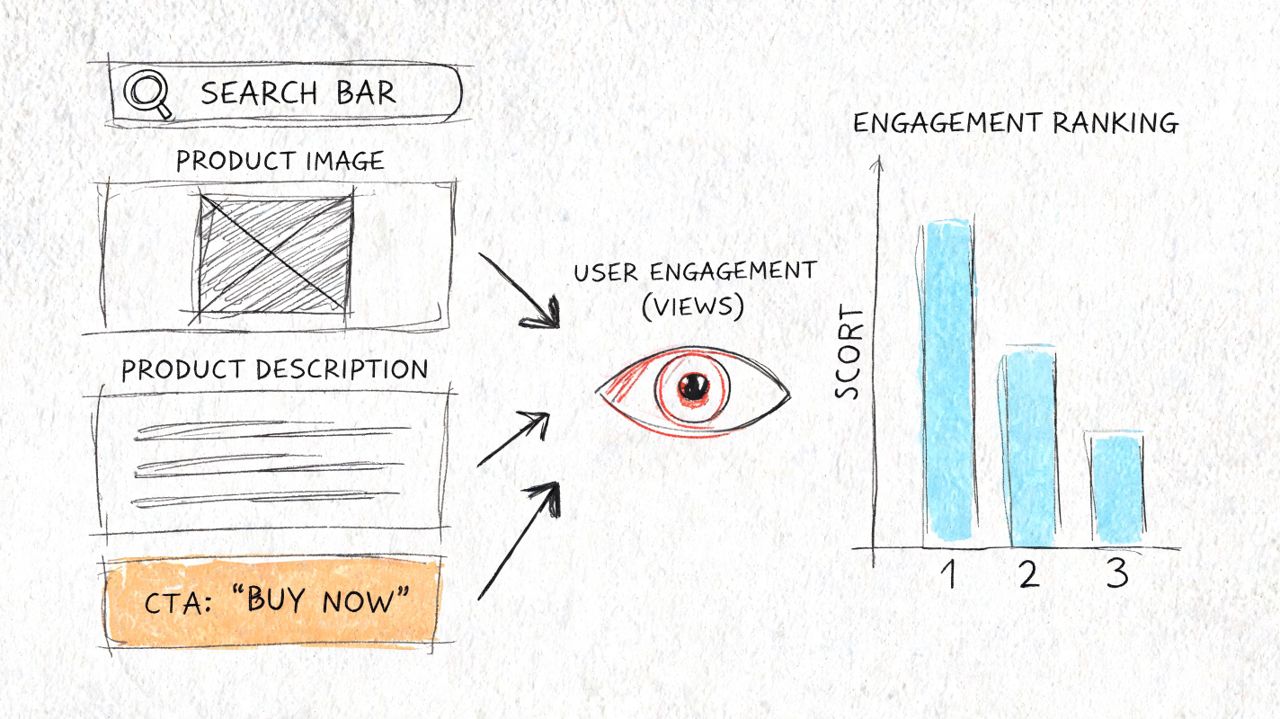
The title tag, H1, opening copy, and supporting content should answer the same buyer question from different angles. The title tag has to win the click. The H1 has to confirm relevance in a second. The opening copy has to explain the product clearly enough that the shopper can decide whether to keep evaluating or leave.
A practical structure looks like this:
- Title tag: product name, defining attribute, and brand if brand matters to the query
- Meta description: buying reason or outcome, not a recycled list of specs
- H1: plain product naming that matches the core search intent
- Above-the-fold copy: what it is, who it is for, and the main differentiator
- Lower-page content: details on materials, fit, compatibility, use cases, setup, care, or implementation
This matters for SEO because search engines need explicit context on the page, not just in the feed or schema. It matters for conversion because shoppers rarely buy from a page that makes them interpret the offer themselves.
For SaaS product and pricing pages, the same rule applies. Replace dimensions and materials with workflow fit, integrations, user type, and rollout context.
Turn reviews into indexable demand capture
Reviews do more than add trust signals. They expand the query footprint of the page.
Customers describe products in the language real buyers use. They mention fit problems, edge cases, setup friction, quality differences, and comparisons you would never approve in polished brand copy. That language helps product pages rank for longer-tail searches and gives AI systems more grounded, experience-based content to reference.
Reviews are present on most product detail pages, and user-generated content is widely used because it improves both merchandising depth and search coverage. Customer photos also tend to outperform polished brand imagery for credibility during evaluation. The original stats cited here were tied to UGC and review performance data, and the link needs to be present if you reference those numbers.
Reviews increase the amount of useful, query-aligned text on the page while reducing buyer hesitation.
Implementation matters. Review content should be rendered in a way search engines can access, associated with the correct SKU or product family, and moderated for quality without stripping out the natural phrasing that makes it useful. If variants have materially different fit, finish, or performance, pooling all reviews into one undifferentiated block can hurt both buyer trust and relevance.
A practical review workflow:
- Ask for reviews after purchase with prompts about use case, fit, installation, durability, and results
- Surface customer photos near the gallery or review summary if visual proof affects the purchase
- Pull strong review excerpts into the main page when they answer common objections
- Apply review schema only when the implementation matches the visible content and platform policies
If your team also wants a CRO lens on this work, the MetricMosaic conversion guide is useful because it focuses on friction reduction after the click. That complements SEO work on product pages, where better rankings only pay off if the page helps the buyer make a decision.
Match UX elements to buying friction
Useful UX lowers decision cost. Decorative UX usually adds it.
The right page element depends on the blocker that keeps someone from buying:
| Friction point | Better page element |
|---|---|
| Unclear product fit | Size guide, compatibility table, variant notes |
| Trust concerns | Reviews, customer photos, returns and shipping clarity |
| Comparison fatigue | Feature summary, spec table, concise FAQ |
| Mobile browsing difficulty | Thumb-friendly selectors, clean image gallery, stable sticky CTA |
| Complex setup | Installation steps, usage guidance, support content |
Prioritize the elements that answer pre-purchase objections first. A furniture page may need dimensions, room-fit photos, delivery terms, and assembly guidance near the top. A supplements page may need ingredients, usage instructions, certifications, and review filtering by goal or outcome. A B2B SaaS pricing page may need role-based use cases, onboarding expectations, procurement answers, and integration detail.
The trade-off is page length versus clarity. Teams often hide useful content in tabs, accordions, or buried modules to keep the page visually clean. That can work for design, but it often weakens discovery and forces users to hunt for answers. On high-intent product pages, clarity usually beats minimalism.
The page should help buyers confirm fit, compare options, and act with confidence. That is what improves rankings, supports AI visibility, and raises revenue from the same URL.
Winning with Speed and Core Web Vitals
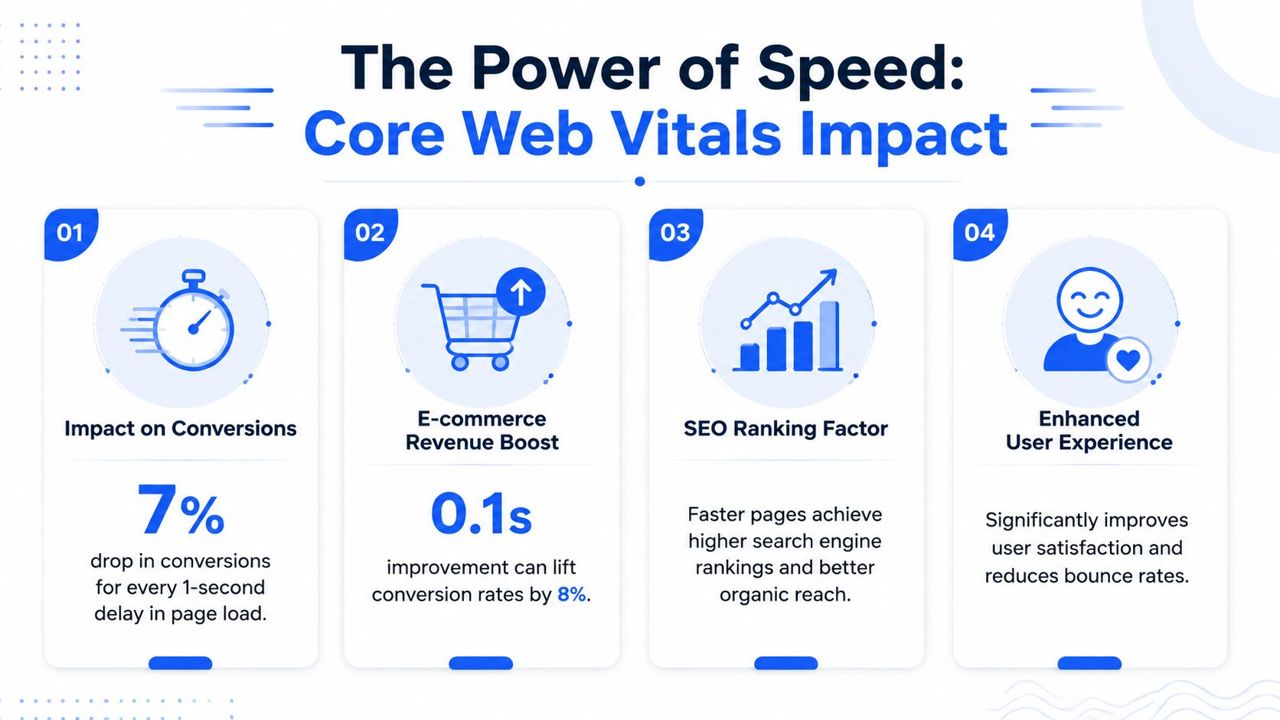
Speed problems on product pages are often treated like a CRO cleanup task. That misses the bigger upside. On large catalogs, page speed influences rankings, crawl efficiency, buyer confidence, and whether search engines can reliably surface your pages in rich results and AI-generated summaries.
Slow pages lose revenue twice. They convert fewer visits, and they also struggle to earn as much organic visibility as they should.
The conversion gap is large. Ecommerce pages that load in under 1.2 seconds convert at 4.8%, while pages taking over 3 seconds convert at 1.6%. Conversion rates also drop by 0.3% for every additional second of load time (Core Web Vitals and conversion data).
What matters most on product pages
Product templates usually miss Core Web Vitals for the same reasons.
Largest Contentful Paint breaks when the primary product image is too heavy, served at the wrong dimensions, or delayed by JavaScript and app scripts.
Interaction to Next Paint degrades when variant pickers, quantity controls, galleries, and add-to-cart functions rely on bulky front-end code.
Cumulative Layout Shift shows up when review widgets, financing banners, shipping messages, or sticky elements inject themselves after the page starts rendering.
Those failures hit the exact moments that matter commercially. The shopper is trying to confirm the product, choose an option, and act. If the gallery lags or the page jumps, trust drops before pricing, reviews, or copy can do their job.
I see one pattern repeatedly on ecommerce builds. Teams spend months refining image galleries, recommendation logic, and app integrations, then push all of that onto the product template without a performance budget. The result is a page that looks feature-rich in staging and feels unstable in production.
The fixes that usually move the needle first
The highest-return fixes are usually template-level changes, because one improvement can affect hundreds or thousands of URLs.
Start here:
- Compress and properly size product media. Serve modern formats where supported, use responsive image sizing, and stop sending oversized desktop assets to mobile devices.
- Prioritize the primary content path. Load the main image, title, price, and buy box first. Secondary galleries, recommendation modules, and long review feeds can wait.
- Reduce third-party script weight. Reviews, personalization tools, chat, testing platforms, and tracking scripts often create the biggest drag on product templates.
- Reserve space for dynamic modules. Set explicit dimensions for reviews, promo bars, financing widgets, and sticky CTAs so the page does not shift mid-session.
- Check server response and caching. Slow application logic, weak cache rules, and uncached variant requests can erase front-end gains.
There are trade-offs. Aggressive lazy loading can improve scores but delay content people need. Script removal can improve interaction speed but create reporting gaps or limit merchandising tools. The right approach is to protect revenue-critical functions and strip out anything that does not help a shopper evaluate or buy the product.
Product pages also deserve priority over category pages in many SEO roadmaps. Category pages often attract broader discovery traffic, but product pages carry the clearest commercial intent and the strongest chance to win on long-tail queries, merchant-style results, and AI Overview citations when the page loads fast and exposes clean, crawlable information.
Use Google Search Console, PageSpeed Insights, Lighthouse, Chrome DevTools, and template-level monitoring to find recurring failures by device and template type. If you are working on Wix and need a structured data reference alongside template cleanup, boost Wix SEO with schema is a practical implementation guide. The target is not a perfect performance score. The target is a stable, fast product page that loads key buying elements quickly enough to support rankings and capture intent before the shopper leaves.
Advanced Schema for Maximum Search Visibility
Most ecommerce teams stop at basic Product schema. That's not enough if you want stronger eligibility for rich results and cleaner machine-readable context for search engines and AI systems.
Structured data works best when it reflects the actual page experience and covers the entities a product page already contains. That usually means the product itself, its offer details, user reviews, and common product questions.
Build layered structured data
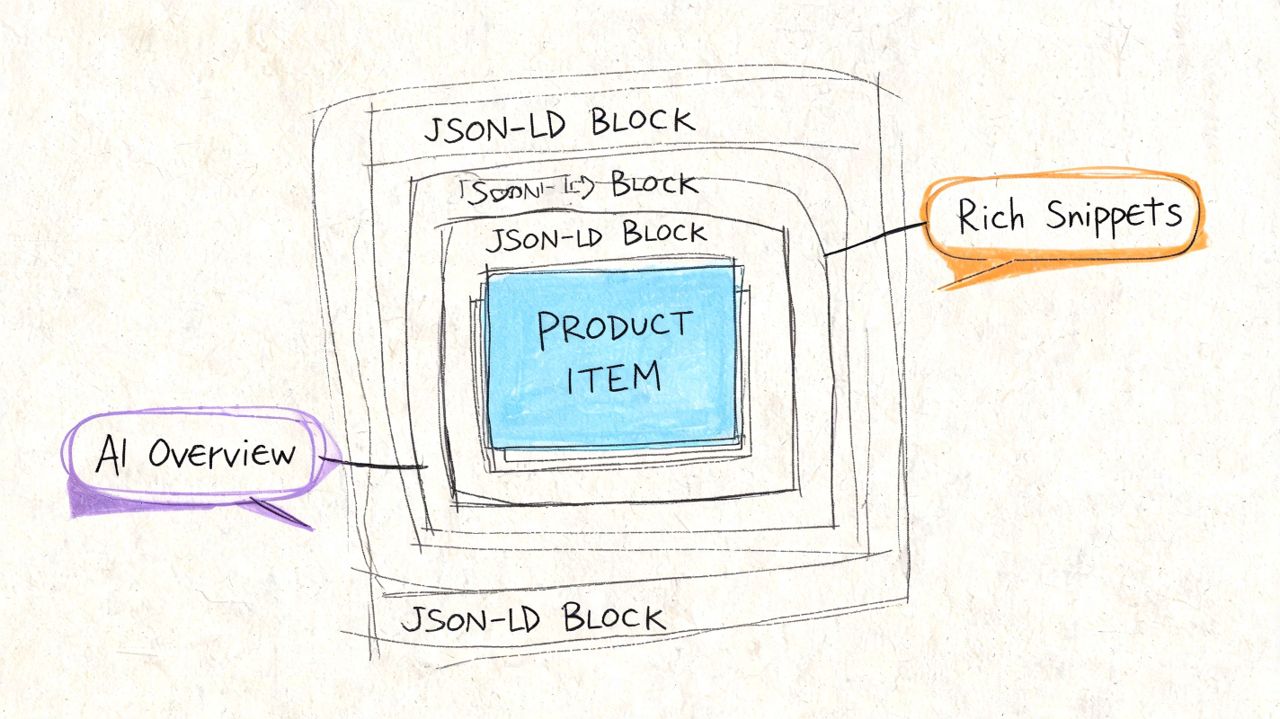
A better product page schema stack often includes:
- Product for the core entity
- Offer for price and availability details
- Review when the page contains valid review content
- FAQPage for genuine product questions and answers
- HowTo when setup, assembly, or usage steps are part of the page experience
This layered approach helps search engines disambiguate what the page is about. It also gives AI systems clearer factual anchors to summarize.
If you're on Wix and need a practical implementation reference, this guide on boost Wix SEO with schema is useful because it focuses on real markup deployment rather than generic schema definitions.
A practical JSON-LD example
Here is a clean example pattern for a product page:
{
  "@context": "https://schema.org",
  "@type": "Product",
  "name": "Product Name",
  "brand": {
    "@type": "Brand",
    "name": "Brand Name"
  },
  "description": "Short factual product description.",
  "sku": "SKU-123",
  "image": [
    "https://example.com/product-image.jpg"
  ],
  "offers": {
    "@type": "Offer",
    "priceCurrency": "USD",
    "price": "129.00",
    "availability": "https://schema.org/InStock",
    "url": "https://example.com/product-page"
  },
  "review": [
    {
      "@type": "Review",
      "author": {
        "@type": "Person",
        "name": "Customer Name"
      },
      "reviewBody": "Factual review text shown on page."
    }
  ]
}
Keep the implementation honest. If the page doesn't display the content, don't mark it up. If pricing changes by variant, make sure your schema reflects the selected or default offer accurately.
A short walkthrough helps if your team needs a visual explanation before implementation:
Use schema to support AI visibility
AI Overviews and answer engines favor pages that are easy to parse. Schema won't force a citation, but it improves clarity when combined with strong visible content.
Use these rules:
- Keep product facts consistent between visible text and JSON-LD.
- Add concise FAQ answers that address compatibility, sizing, returns, setup, or implementation.
- Use explicit brand, model, and attribute names so entities are unambiguous.
- Validate markup regularly after template changes, app installs, or CMS updates.
The strongest schema setups don't chase every schema type. They mark up the information users need, then keep it accurate.
A Framework for Testing Measurement and Continuous Growth
Product page optimization isn't a redesign project you “finish.” It's a system for deciding what to change next, how to measure it, and whether the change improved search performance, conversion performance, or both.
The mistake I see most often is mixing SEO tests and CRO tests into one messy experiment. The team changes title tags, swaps the gallery, rewrites the copy, adds a sticky CTA, and then tries to explain the outcome from one reporting view. That rarely produces a reliable answer.
Separate SEO tests from CRO tests
Use two distinct testing lanes.
SEO tests focus on discoverability and click efficiency. Examples include title tag variants, meta description messaging, FAQ placement, schema enhancements, internal linking updates, and heading structure.
CRO tests focus on on-page decision behavior. Examples include image order, CTA treatment, review placement, variant selector design, trust badge positioning, and shipping message visibility.
A simple comparison helps:
| Test type | Typical variables | Primary outcome |
|---|---|---|
| SEO testing | Titles, metadata, schema, internal links, FAQ structure | Impressions, rankings, click-through behavior, landing page sessions |
| CRO testing | CTA, gallery, layout, review placement, mobile interactions | Add-to-cart rate, checkout starts, demo requests, purchases |
You can still connect them under one roadmap. Just don't test them in a way that hides cause and effect.
Good testing isolates the variable. Bad testing creates a story the team wants to believe.
Measure outcomes that matter to the business
Rankings matter. Conversions matter more. The useful view is the chain between them.
For ecommerce, track product page optimization against:
- Organic landing page sessions by product or product group
- Qualified non-brand query visibility
- Add-to-cart behavior from organic visits
- Revenue per organic landing page
- Assisted conversions where the product page starts the path
For SaaS pricing or feature pages, replace purchases with demo requests, trial starts, or sales-qualified leads.
This is also where product grouping matters. If you report only at site level, you won't see whether a schema rollout helped product pages while a seasonality dip hit the rest of the site. Build views by template, category, brand, and variant family.
Avoid the most common testing mistakes
Lack of tools is not why teams fail. They fail because they test the wrong way.
Watch for these problems:
- Testing on unstable templates. If the dev team is changing apps, scripts, or layout behavior weekly, your result won't hold.
- Using too little time or volume. Some changes need a longer observation window, especially on lower-traffic products.
- Ignoring segmentation. Mobile users, returning users, branded queries, and non-brand queries often behave differently.
- Optimizing to vanity metrics. Higher clicks with weaker purchase intent can still hurt revenue.
- Failing to document implementation dates. If you can't line up deployment and performance data, you're guessing.
The best teams maintain a test log. Hypothesis, URLs affected, date launched, expected outcome, actual outcome, and whether the change stays. That discipline turns product page optimization from ad hoc tinkering into a repeatable growth process.
Your Prioritized Product Page Rollout Checklist
Organizations already have a long list of fixes. The problem isn't ideas. It's sequence.
Use this matrix to decide what to tackle first. Start with the items that improve crawlability, indexation, page clarity, and buying confidence on your highest-value product templates. Leave cosmetic refinements for later.
Product Page Optimization Prioritization Matrix
| Priority | Task | Impact (Revenue/Traffic) | Effort (Time/Resources) |
|---|---|---|---|
| High | Audit canonicals, variant URLs, and indexation rules | High | Medium |
| High | Fix title tags, H1s, and product entity clarity on core templates | High | Medium |
| High | Improve review collection, review display, and customer photo integration | High | Medium |
| High | Resolve major page speed issues on product templates | High | Medium to High |
| Medium | Add layered schema for Product, Offer, Review, and FAQ content | Medium to High | Medium |
| Medium | Improve internal linking from categories, breadcrumbs, and related products | Medium | Low to Medium |
| Medium | Rewrite duplicate manufacturer descriptions into unique copy | Medium | Medium to High |
| Medium | Refine mobile UX for variant selection and sticky purchase actions | Medium | Medium |
| Lower | Test visual hierarchy changes and secondary CTA treatments | Medium | Medium |
| Lower | Expand how-to content or buyer FAQs for complex products | Medium | Medium |
A good rollout order looks like this:
- Fix technical blockers on the templates that drive the most revenue.
- Improve searchable content assets, especially titles, descriptions, FAQs, and reviews.
- Stabilize speed and interaction performance on mobile and key product flows.
- Layer in structured data and testing once the page is technically trustworthy.
- Review performance by template and product group, then expand the playbook across the catalog.
If your catalog is complex, or your team is split across SEO, merchandising, development, and paid acquisition, consider a strategic SEO audit before implementation. It's easier to grow from a prioritized roadmap than from a pile of disconnected recommendations.
Frequently Asked Questions
How is product page optimization different for ecommerce and SaaS?
The underlying SEO principles overlap, but the page job is different. Ecommerce product pages have to rank, answer purchase questions, handle variants, surface trust signals, and support checkout without adding friction. SaaS product and pricing pages usually need clearer intent matching, stronger feature explanation, and a tighter path to a demo or trial.
Should every product variant have its own URL?
No. Separate variant URLs make sense when each version has distinct search demand or a meaningfully different use case. If the differences are minor, extra URLs usually create duplicate or near-duplicate pages, split internal signals, and make indexation harder to control.
What should I fix first on underperforming product pages?
Start with the issues that block visibility and revenue at the template level. Indexation errors, canonical mistakes, weak internal linking, and broken structured data can suppress an entire product set. After that, improve the parts buyers and search engines both use to evaluate the page: title tags, headings, unique copy, reviews, and mobile purchase flow.
If the page is slow or unstable on mobile, fix that before testing cosmetic CRO changes.
Are reviews really worth prioritizing for SEO?
Yes, if they are implemented in a way search engines can crawl and shoppers can use. Reviews add natural language, cover edge-case questions your copy team will miss, and strengthen trust at the point of decision. On many catalogs, they also help product pages qualify for richer search features while improving conversion confidence on the page itself.
Which tools are useful for product page optimization?
Use Google Search Console to connect queries with landing pages. Use Lighthouse or PageSpeed Insights to diagnose rendering, loading, and interaction problems. Use a crawler to find duplication, canonicals, orphaned products, and weak internal linking.
Large catalogs usually need more than a surface audit. Log analysis helps teams see which product URLs search engines request, which matters when crawl budget is being wasted on filtered URLs, parameter pages, or out-of-stock variants.
How often should product pages be reviewed?
Review top templates on a set cadence, and review high-value products whenever rankings shift, stock logic changes, page components are updated, or conversion behavior drops. Product page optimization is not a one-time cleanup. It works best as an operating process shared across SEO, merchandising, UX, and development.
If product pages are underperforming, the opportunity is usually larger than a few conversion tweaks. The same page can influence rankings, rich results, AI Overview visibility, and revenue, which is why product page work often deserves a higher place on the SEO roadmap than teams give it. SEOBRO® works with ecommerce, SaaS, and multi-location brands on technical SEO, product and category page strategy, structured data, Core Web Vitals, and AI visibility, with implementation tied to qualified traffic and business outcomes.