A visitor lands on your pricing page, product page, or quote form with buying intent. The offer is clear. The page answers the right questions. Then the browser labels the page Not Secure.
That moment kills more deals than is commonly understood.
For SaaS, it disrupts demo requests and trial signups. For ecommerce, it adds hesitation right before checkout. For local service businesses, it makes a company look careless, outdated, or unsafe. You can spend heavily on content, links, CRO, and paid acquisition, then lose trust at the exact moment a user is ready to act.
That's why seo http https isn't a narrow technical topic. It sits at the intersection of search visibility, crawl efficiency, brand authority, and conversion trust. HTTPS is not the kind of change you postpone because it feels "infrastructure related." If your site still serves HTTP, or if your HTTPS migration was sloppy, you're creating avoidable risk across rankings, lead flow, and revenue.
The bigger problem is that most advice on this subject is too shallow. It tells you HTTPS is a ranking factor and stops there. Business damage usually comes later, when bad redirects, mixed content, stale canonicals, and inconsistent internal links weaken the signals your site depends on.
Introduction Why Not Secure Is Costing You Revenue
A non-secure website doesn't just look old. It creates friction at the worst possible point in the customer journey.
When a browser warns users away from a page, trust drops fast. That affects form fills, checkouts, demo requests, and even simple newsletter signups. Buyers may not understand TLS, certificates, or header behavior, but they do understand when a website feels unsafe. That reaction is enough to reduce engagement before your sales team ever gets a chance.
Search visibility is part of the same problem. If search engines see inconsistent protocol handling, they can waste time crawling duplicate HTTP and HTTPS versions, split signals across variants, and delay consolidation. The financial cost isn't only lower rankings. It's weaker commercial performance from traffic you already earned.
Practical rule: If your site still serves HTTP, or if HTTPS exists but your canonicals, internal links, and redirects aren't aligned, treat it as a revenue issue, not a cleanup task.
This matters more in high-intent environments. SaaS buyers hit pricing and demo pages. Ecommerce users move from product pages into cart and checkout. Local prospects open quote forms from mobile devices and judge trust instantly. HTTPS supports all of those paths because it reinforces both site legitimacy and session security.
The smart position is simple. HTTPS is baseline infrastructure for modern SEO and conversion trust. The mistake is assuming the job ends once the padlock appears.
HTTP vs HTTPS The Core SEO and Trust Differences
HTTP and HTTPS look similar in a browser bar, but they signal very different things to users, browsers, and search engines.
At the technical level, HTTPS uses SSL/TLS to secure the connection between browser and server. That supports confidentiality, authenticity, and integrity of traffic. At the business level, it tells users they can submit data without stepping into an obvious trust problem.
What actually changes when you move to HTTPS
Google publicly began treating HTTPS as a ranking signal in 2014, and by 2026 one SEO statistics roundup still reports that 70.4% of voice search results are served over HTTPS, while only 50% of desktop search results currently use HTTPS, which shows how uneven adoption remains across search surfaces according to this SEO statistics roundup. That matters because secure delivery has become part of how modern search interprets trust.
For business owners, the bigger issue is not whether HTTPS alone moves rankings dramatically. It usually doesn't. The bigger issue is that HTTP creates unnecessary doubt, while HTTPS removes an obvious objection.
Browsers make that distinction visible. Secure pages feel normal. Non-secure pages look suspect. If you're trying to rank and convert in the same session, that's a bad trade.
HTTP vs HTTPS Comparison for Business Owners
| Factor | HTTP (Hypertext Transfer Protocol) | HTTPS (Hypertext Transfer Protocol Secure) |
|---|---|---|
| Connection security | Traffic is not encrypted | Traffic is encrypted with SSL/TLS |
| User trust | Can trigger concern, especially on forms and checkout pages | Reinforces trust for forms, accounts, and transactions |
| Browser perception | Risks visible non-secure warnings | Recognized as secure delivery |
| SEO interpretation | Weaker trust foundation | Supports a modern trust and security baseline |
| Canonical consistency | Often creates duplicate protocol issues if HTTPS also exists | Easier to consolidate signals when implementation is clean |
| Modern performance support | Doesn't meet requirements for newer transport standards | Required for modern protocol support discussed later |
| Commercial impact | More friction before conversion | Better alignment with high-intent user behavior |
A lot of teams still frame this as "secure your site because Google likes it." That's too narrow. Google still processes the vast majority of global searches, and high click concentration at the top of results means small trust losses can have outsized business effects, as summarized in this search statistics roundup from WordStream.
If you're also trying to win rich results and concise answer formats, page trust and technical cleanliness matter. Structured content can help you optimize Shopify featured snippets, but that work sits on a weak base if the site still sends mixed trust signals at the protocol level.
HTTPS isn't the strategy. It's the floor your strategy stands on.
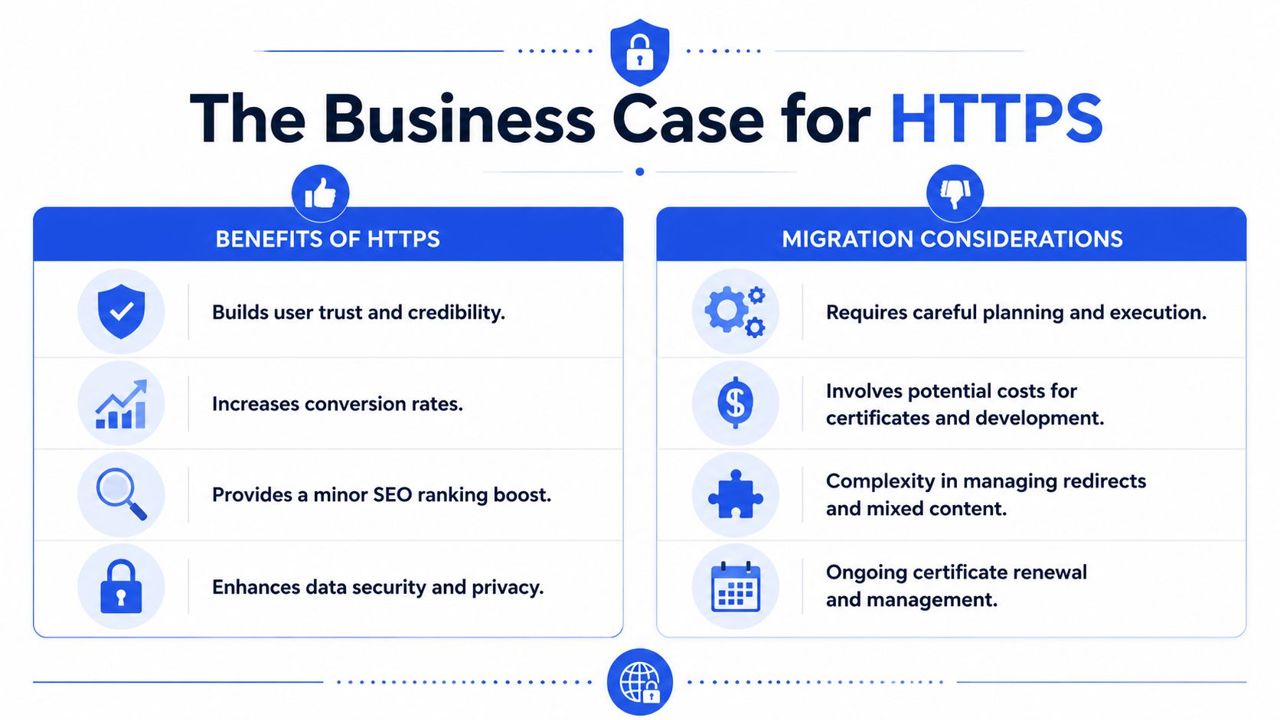
The Business Case for HTTPS Migration
A site can keep its traffic after launch and still lose money every day on HTTP.
The loss rarely shows up as one obvious failure. It shows up as abandoned forms, lower checkout completion, weaker partner confidence, and search signals split across two protocol versions. By the time leadership notices, the fix is no longer just a certificate install. It becomes a cleanup project across redirects, canonicals, internal links, sitemaps, analytics, and templates.
Why this matters beyond rankings
Framing HTTPS as a minor ranking factor misses the underlying business risk. HTTPS supports the authority signals a site depends on to rank, convert, and retain trust under scrutiny.
On pages tied to revenue, users make fast trust decisions. A warning, an insecure asset, or a redirect chain before checkout adds hesitation at the exact moment you need commitment. For ecommerce, that affects product, cart, and payment paths. For SaaS, it hits demo requests, trials, and pricing pages. For lead generation, it weakens every form submission that asks for personal or business information.
Search engines face a similar trust problem, but at scale. If both HTTP and HTTPS versions remain accessible, crawlers spend time on duplicate paths instead of new or updated pages. Link signals can split. Canonical hints become less reliable. Indexation gets noisier. Basic migration guides usually stop at "use 301 redirects." The larger cost is that inconsistent protocol handling wastes crawl activity and blurs authority signals that should have been consolidated into one version from day one.
HTTPS also opens the door to protocol and delivery improvements discussed later in this article. Teams that stay on HTTP are not only carrying trust friction. They are limiting how efficiently the site can be delivered and crawled.
Where the financial risk shows up
The commercial case is usually visible in four areas:
- Conversion friction: users hesitate on forms, logins, and checkout steps where trust is tested hardest.
- Lost equity during migration mistakes: backlinks and internal authority fail to consolidate if redirects and canonicals are inconsistent.
- Crawl waste: bots revisit duplicate HTTP URLs, redirecting paths, and mixed references instead of focusing on pages that drive growth.
- Higher recovery costs: the longer protocol issues sit in production, the more expensive the cleanup becomes across SEO, development, analytics, and paid landing pages.
This is why rushed HTTPS work often costs more than planned HTTPS work. I have seen migrations preserve rankings on the homepage and top categories, while long-tail pages experience a subtle loss of visibility because old protocol references remained in templates or XML sitemaps. Traffic reports looked stable at a glance. Revenue did not.
There are real trade-offs. Certificates need renewal management. Development teams need time to test assets, third-party scripts, redirects, canonicals, and reporting. Enterprise environments may also have dependencies across CDNs, subdomains, app layers, and legacy systems. Those are manageable implementation costs. The expensive decision is postponing the move until a browser warning, a failed checkout path, or an organic visibility drop forces a rushed rollout.
Technical audits help separate cosmetic issues from the ones that affect indexation, authority, and conversion paths first. Some teams handle that in-house. Others bring in specialist support, including SEOBRO®, when they need a prioritized implementation plan instead of a generic list of errors.
The Complete HTTP to HTTPS Migration Checklist
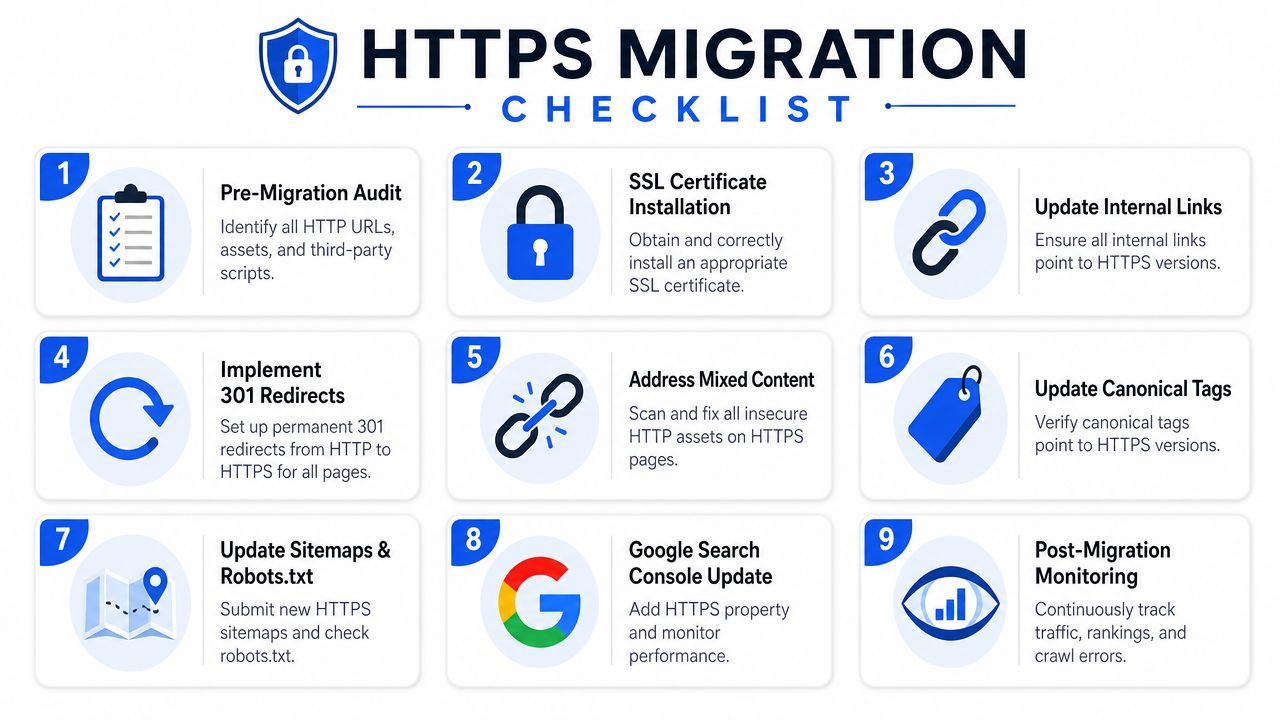
A clean migration is not about flipping a switch. It's about preserving authority while removing protocol ambiguity.
The sites that struggle after a move usually don't fail because HTTPS is hard. They fail because nobody owned the signal consolidation work. Redirects were partial. Canonicals stayed on HTTP. Internal links still pointed to old URLs. Templates loaded insecure assets. Search engines had to guess which version deserved trust.
Pre-flight before you redirect anything
Before launch, build a full inventory of what exists.
That means crawling the site with tools such as Screaming Frog or Sitebulb, exporting indexable URLs, checking status codes, listing canonicals, and identifying internal links that still reference HTTP. You also need to review assets, templates, scripts, image paths, canonical logic, sitemap output, and any hardcoded absolute URLs.
A practical pre-launch checklist should include:
- URL inventory: Crawl the entire site and export every live URL you intend to preserve.
- Asset review: Identify images, JavaScript files, CSS files, fonts, and third-party scripts that still load over HTTP.
- Certificate planning: Choose the right certificate setup for your domain structure. If your team needs implementation help at the server level, this walkthrough on how to secure your website with an SSL is a useful operational reference.
- Template audit: Check navigation, footer links, schema references, canonicals, hreflang if used, and CMS output.
- Analytics and platform review: Make sure analytics tools, tag managers, CRM forms, payment tools, and ad landing pages are ready for the secure version.
The migration asset that matters most is the URL map. If you can't say where each important HTTP URL should resolve, you're not ready to launch.
Execution during the migration
During cutover, permanent redirects are essential.
From a technical SEO standpoint, the move from HTTP to HTTPS should use a 301 redirect rather than a 302, because search engines need a clear signal that the secure version is the permanent canonical destination. Proper implementation also requires updating internal links and canonical tags to HTTPS, and using HSTS to force repeat visitors onto encrypted connections, as outlined in Penn Medicine's technical SEO standards.
The execution phase should include these core actions:
- Install the SSL/TLS certificate correctly and verify that the secure version loads without warnings.
- Redirect every HTTP URL to its HTTPS equivalent with a single-hop 301.
- Update canonical tags so they self-reference the HTTPS version.
- Replace internal HTTP links across navigation, body content, breadcrumbs, related products, and templates.
- Enable HSTS once the secure implementation is verified and stable.
What doesn't work:
- Temporary redirects
- Redirecting large groups of pages to the homepage
- Leaving canonicals on HTTP
- Assuming internal redirects are "good enough"
- Launching without checking mixed content
Post-launch checks that protect rankings
The padlock is not your success metric. Signal consistency is.
After launch, review the site as if you expect something to be wrong. That mindset catches problems faster.
Post-launch audits should cover:
- Crawl validation: Recrawl the site and confirm indexable pages resolve on HTTPS only.
- Canonical review: Verify that pages no longer declare HTTP canonicals.
- Sitemap cleanup: Regenerate XML sitemaps with HTTPS URLs only.
- Search platform checks: Add and verify the HTTPS property in your webmaster tools and watch for coverage or indexing anomalies.
- Conversion path testing: Submit forms, test checkout, log in, and inspect key revenue pages on desktop and mobile.
A useful monitoring stack is simple: browser inspection tools for mixed content, Screaming Frog for crawling, server-side redirect validation, and analytics comparison before and after launch.
Businesses often assume the migration succeeded because pages render and rankings don't crash immediately. That's too shallow. The better test is whether authority signals consolidate cleanly, crawl paths simplify, and commercial pages remain conversion-ready after the switch.
Common Migration Pitfalls and How to Fix Them
The dangerous mistakes in an HTTPS migration are rarely dramatic. They're quiet.
A site can stay online, keep ranking for some terms, and still lose SEO efficiency because the migration left behind contradictory signals. That's why teams often miss the damage until organic traffic softens, crawl behavior gets messy, or conversion paths start failing in small but costly ways.
The silent issues that drain SEO value
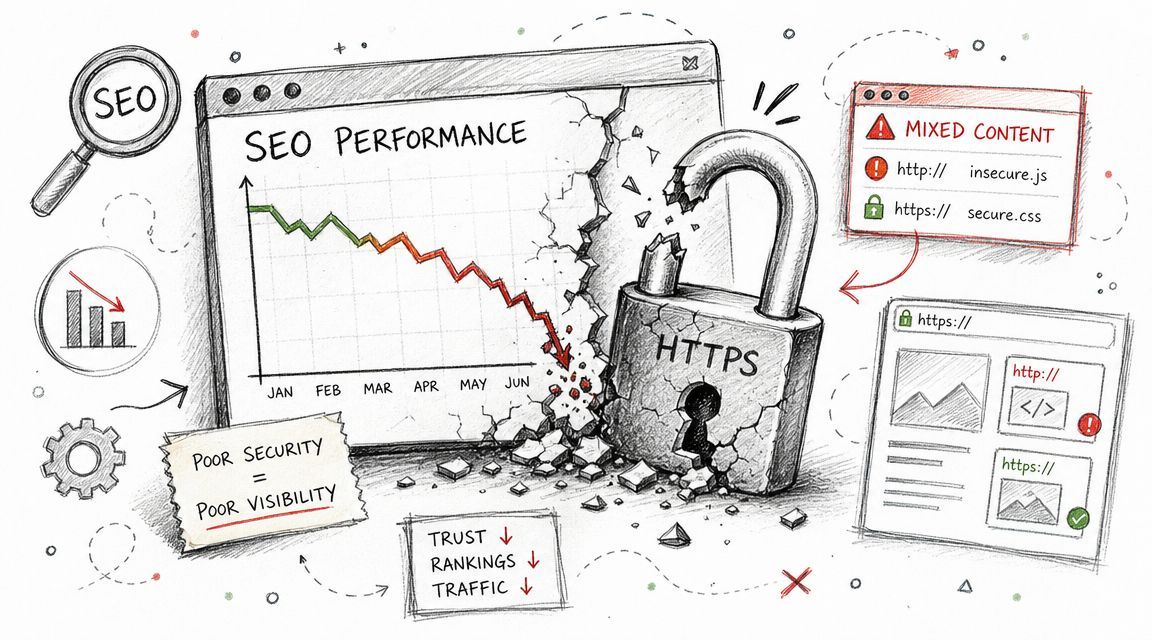
One of the most common problems is mixed content. The page loads on HTTPS, but some scripts, images, stylesheets, or embedded resources still call HTTP assets. Users may see warnings, the padlock may break, and browsers may block resources entirely.
Another frequent issue is the redirect chain. A page goes from one version to another and then another before reaching the final destination. That slows crawling, adds friction for users, and weakens the clean signal you wanted the migration to create.
Post-launch SEO risk is often less about the initial redirect and more about losing canonical consistency and crawl efficiency. Search Engine Land notes that headers such as Cache-Control and Referer affect caching behavior, which can influence page speed, and it recommends checking redirect chains, mixed content, canonical tags, and header-level caching after launch in its HTTP headers guide for SEO.
How to diagnose and repair them
Use a combination of crawler data, browser inspection, and manual path testing.
Focus first on pages that matter commercially. Product pages. Pricing pages. Demo forms. Contact pages. Location pages. Then widen the audit.
Key fixes usually fall into these buckets:
- Mixed content cleanup: Replace all HTTP asset calls with HTTPS versions or remove outdated resources entirely.
- Redirect path simplification: Force every legacy HTTP URL to resolve directly to the final HTTPS destination in one hop.
- Canonical alignment: Confirm every canonical tag points to the secure live URL, not an old protocol variant.
- Campaign URL updates: Change landing page URLs in Google Ads, email templates, social bios, CRM sequences, and partner links so traffic doesn't pass through unnecessary redirects.
- Cache and header review: Validate that secure pages still serve assets efficiently after launch.
A migration can look fine in a board report and still be leaking equity through chains, stale canonicals, and broken assets. That's why post-launch validation matters more than launch-day optimism.
If you're diagnosing this with tools, Screaming Frog is useful for protocol checks and redirect mapping. Chrome DevTools helps catch blocked assets and mixed content. Your analytics platform helps identify where user behavior changed after the migration. Put all three together and the pattern usually becomes obvious.
Performance Implications Beyond the Padlock
A lot of HTTPS advice stops at security. That misses the infrastructure angle.
HTTPS is also the gateway to newer transport standards that improve how browsers and crawlers fetch content. If you're still thinking about protocol choice as branding or compliance only, you're missing a meaningful technical lever.

HTTPS as a transport requirement
For performance and indexing, HTTPS is a prerequisite for modern web transport. HTTP/2 and HTTP/3 require HTTPS and enable more efficient data transfer, which can reduce latency. That matters because technical SEO depends partly on helping bots and users reach rendered content faster, as explained in Michigan Tech's technical SEO guidance.
The practical takeaway is straightforward. A secure site can do more than encrypt traffic. It can support faster resource delivery, fewer request bottlenecks, and cleaner rendering behavior when the rest of the stack is configured properly.
That doesn't mean every HTTPS site is fast. It means HTTP blocks access to improvements that modern performance work depends on.
What to audit after the move
Here, teams make another bad assumption. They migrate to HTTPS, see the secure label, and assume performance will take care of itself.
It won't.
After the move, audit the site for the basics that influence both speed and crawl behavior:
- Request efficiency: Check whether pages now load extra redirects, duplicate scripts, or unnecessary assets.
- Compression and media handling: Review images, file formats, and delivery rules.
- JavaScript weight: Confirm the migration didn't introduce heavier client-side execution.
- Template consistency: Make sure key page types behave similarly across product, blog, pricing, and support sections.
Faster secure delivery helps only when the site avoids self-inflicted overhead. HTTPS opens the door. It doesn't clean up the room.
For ecommerce sites, this often shows up on category and product templates with lots of assets. For SaaS, it's common on app-adjacent marketing pages loaded with scripts. For local sites, it can appear on location pages with heavy embeds and slow third-party widgets. The protocol upgrade is necessary. The performance discipline still has to follow.
FAQs on HTTP to HTTPS Migration
Will moving to HTTPS improve rankings by itself
Do not expect a clean ranking lift from the protocol change alone.
HTTPS removes a trust and indexing liability. It helps search engines and users see one secure version as the preferred destination. But rankings usually move for the wrong reasons when teams judge the migration too simplistically. A clean migration preserves link equity, reduces conflicting signals, and keeps crawl activity focused on the right URLs. A sloppy one does the opposite and can make organic performance look weaker even when nothing changed in content or intent targeting.
Can an HTTPS migration hurt SEO
Yes. The risk is operational, not theoretical.
Bad migrations split authority between HTTP and HTTPS, send crawlers through redirect chains, leave canonicals pointing at the old protocol, and create mixed internal signals across templates, sitemaps, hreflang, and structured data. That is where the actual cost emerges. Search engines spend time reprocessing contradictions, important pages get discovered less efficiently, and pages that used to consolidate value under one URL begin competing with duplicates.
Should every HTTP URL redirect with a 301
Yes, if the page has a live HTTPS equivalent and should still exist.
Use one-hop 301 redirects from every old HTTP URL to its final HTTPS destination. Loose redirect rules cause trouble fast. If all discontinued pages redirect to the homepage, or if parameterized URLs collapse into the wrong destination, you create index noise and lose relevance signals tied to the original page.
Do I need to update internal links if redirects are already in place
Yes.
Redirects are a safety net, not a long-term site architecture plan. If navigation, body links, canonicals, XML sitemaps, and asset references still call HTTP URLs, crawlers keep wasting requests on old paths before reaching the final page. On large sites, that repeated overhead eats into crawl budget and slows consolidation. On smaller sites, it still sends an avoidable signal that the preferred URL set is not fully settled.
Is HTTPS enough for SEO in competitive markets
No.
HTTPS is table stakes. It supports authority and conversion trust, but it does not solve weak page intent, thin content, poor internal linking, or template bloat. In competitive SERPs, the sites that win usually combine secure, consistent technical signals with stronger information gain and faster page experience, as discussed in this video guidance on content angle and performance.
When should a business bring in an SEO consultant
Bring one in before the migration if the site has revenue-critical pages, multiple subdomains, international targeting, complex faceted navigation, ecommerce templates, or lead forms that cannot afford disruption.
I usually see outside help pay for itself when the internal team can launch the certificate and redirects, but not the full signal cleanup across canonicals, internal links, XML sitemaps, analytics, Search Console properties, CDN rules, and QA. Recovery work costs more than prevention. If the business depends on organic traffic to drive sales or pipeline, expert oversight is cheaper than weeks of crawl confusion, lost link equity, and conversion drop-off.
If your site still mixes HTTP and HTTPS, or if a past migration left behind crawl waste, canonical confusion, and trust issues, it's worth getting a strategic review before those problems turn into lost leads and revenue. SEOBRO® works on revenue-driven SEO for ecommerce, SaaS, and local businesses, with technical audits, implementation priorities, and search strategies built around qualified growth rather than vanity traffic.