Teams generally don't have an audit problem. They have a decision problem.
The crawl is complete. Google Search Console exports are sitting in a folder. PageSpeed notes are scattered across tabs. Someone has already flagged redirect issues, thin templates, odd canonicals, weak titles, and a few obvious internal linking gaps. Then the work stalls because nobody wants to hand a developer a messy spreadsheet or a client a bloated PDF full of low-value warnings.
That's where a Claude Code SEO audit workflow becomes useful. Not as a replacement for Screaming Frog, Sitebulb, Google Search Console, or browser testing, but as the layer that turns raw technical evidence into a roadmap people can execute.
The mistake is asking Claude to "audit the site" from scratch and trusting whatever comes back. The better approach is a hybrid system. Let crawlers crawl. Let browser tools inspect rendered pages. Let APIs return the source data. Then use Claude Code to sort patterns, compare signals, identify conflicts, and package findings into a prioritized action plan tied to business impact.
That model is faster, more defensible, and far easier to operationalize across ecommerce, SaaS, local, and service business audits.
Introduction From Audit Overload to AI-Powered Insight
A technical audit often fails at the exact point it should become valuable. The data is there, but it's fragmented across crawler exports, Search Console reports, manual notes, screenshots, and browser checks. What should become a clear implementation plan turns into noise.
Claude Code helps when you use it as an analysis and synthesis layer. It can compare files, identify recurring patterns, cluster issues by template or page type, and rewrite technical findings into language that developers, marketers, and stakeholders can act on. That matters because most SEO bottlenecks aren't caused by a lack of tools. They're caused by poor prioritization.
The practical shift is simple. Stop treating AI as a magic auditor. Start treating it as an operational assistant inside a structured workflow.
Practical rule: If the underlying crawl data is incomplete, Claude will confidently summarize incomplete reality. The workflow only works when the inputs are controlled.
That hybrid model also solves a trust problem. A crawler is still the system of record for status codes, canonicals, directives, title tags, internal links, and response-level issues. Claude Code sits on top of that foundation and answers higher-order questions such as:
- Which issues affect revenue pages first
- Which template problems repeat across the site
- Which findings deserve developer time now
- Which recommendations belong in the client deck versus the engineering ticket queue
For an ecommerce site, that may mean separating category-page indexing blockers from cosmetic metadata issues. For SaaS, it may mean clearing friction on pricing, feature, comparison, and demo pages before touching low-value blog cleanup. For local or service brands, it may mean fixing weak location page architecture and crawl waste before expanding content.
A good Claude Code SEO audit workflow doesn't replace judgment. It gives judgment better inputs and faster outputs.
The Hybrid Audit Model Why Claude Plus Crawlers Wins
Claude Code is strong at reasoning across messy datasets. Crawlers are strong at collecting site-wide technical evidence consistently. Put those together and you get an audit process that is both efficient and defensible.
What each tool should own
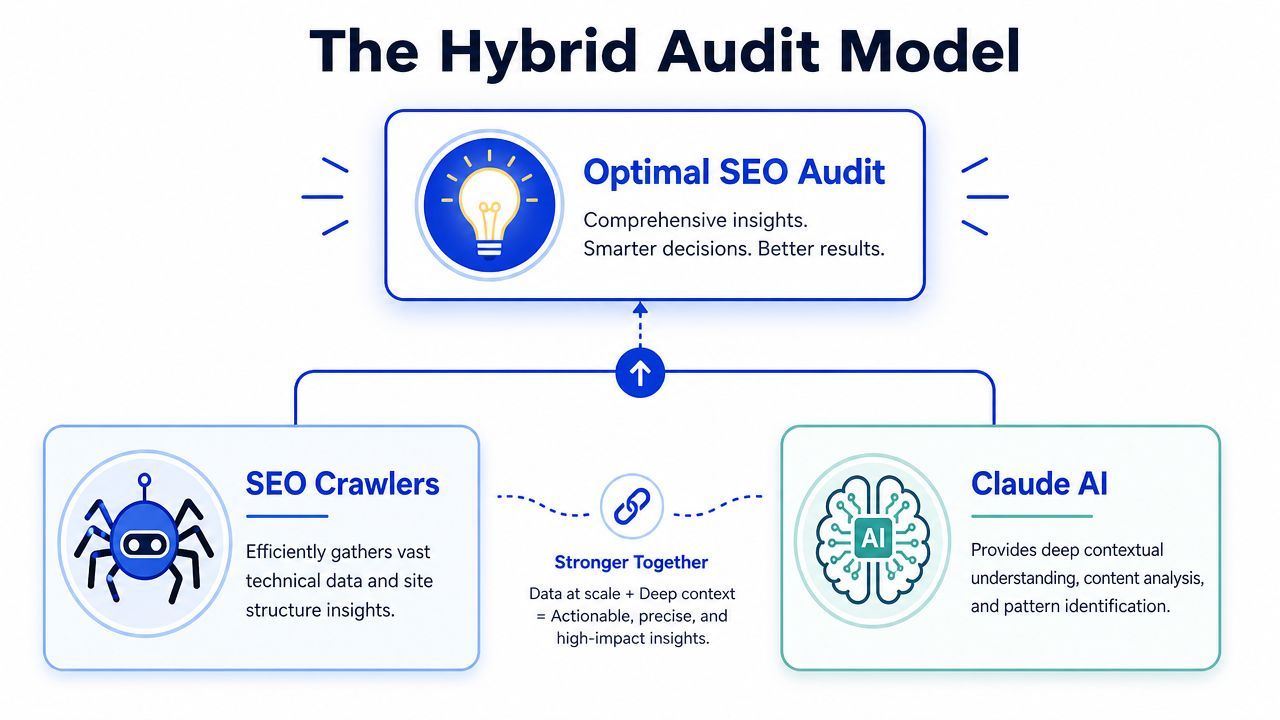
The division of labor should be strict.
| Tool layer | Best use | Bad use |
|---|---|---|
| Traditional crawler | Collecting URLs, directives, canonicals, headings, status codes, internal link data, image data | Interpreting business context |
| Browser testing | Verifying rendered content, mobile behavior, JS output, visible UX issues | Replacing structured crawl exports |
| Search Console and APIs | Validating impressions, queries, indexation clues, page-level performance | Acting as a full site architecture map |
| Claude Code | Pattern recognition, prioritization, summarization, roadmap creation | Blindly inventing findings without data |
That separation reduces one of the biggest risks in AI-assisted SEO. If Claude is asked to "inspect the site" with weak context, it fills gaps with plausible assumptions. If Claude receives clean crawl files, page groups, and performance exports, it starts doing what it's good at.
One of the better mental models comes from workflows built around versioned Claude usage and structured tasks. If you're still dialing in model behavior and prompt style, DocsBot's guide on Sonnet 3.5 is useful background because it frames where reasoning-heavy workflows tend to perform better than generic chat usage.
The win isn't speed alone. The win is getting from "we found issues" to "here's what engineering fixes first and why."
The minimum viable hybrid stack
In practice, the workflow starts with a small set of sources:
- Crawler export: Pull the core technical inventory. It provides indexability, canonicals, redirects, duplicates, image signals, internal links, and page-level metadata.
- Google Search Console export: Add page and query performance so Claude can distinguish pages with technical problems from pages with business potential.
- Manual browser review: Check what a user and a rendered page display. This matters for JavaScript-heavy sites and template bugs.
- Optional server or performance inputs: Use these when the site has clear speed, crawl efficiency, or rendering issues.
This hybrid approach is especially useful when diagnosing crawl waste and internal link inefficiency. If you're dealing with oversized faceted navigation, orphaned URLs, or non-essential pages absorbing crawl attention, the logic overlaps heavily with broader crawl budget optimization work.
A strong workflow also avoids false certainty. Claude can tell you that a cluster of pages likely suffers from weak title differentiation, poor hierarchy, or diluted internal anchors. It should not be the first source you trust for whether a page returns the right status code or whether a canonical is implemented correctly. That's the crawler's job.
Assembling Your Data Inputs for Claude
The quality of the output depends on what you feed in. Most bad AI audit work starts before the first prompt. The files are messy, mislabeled, incomplete, or exported without enough context to support a reliable conclusion.
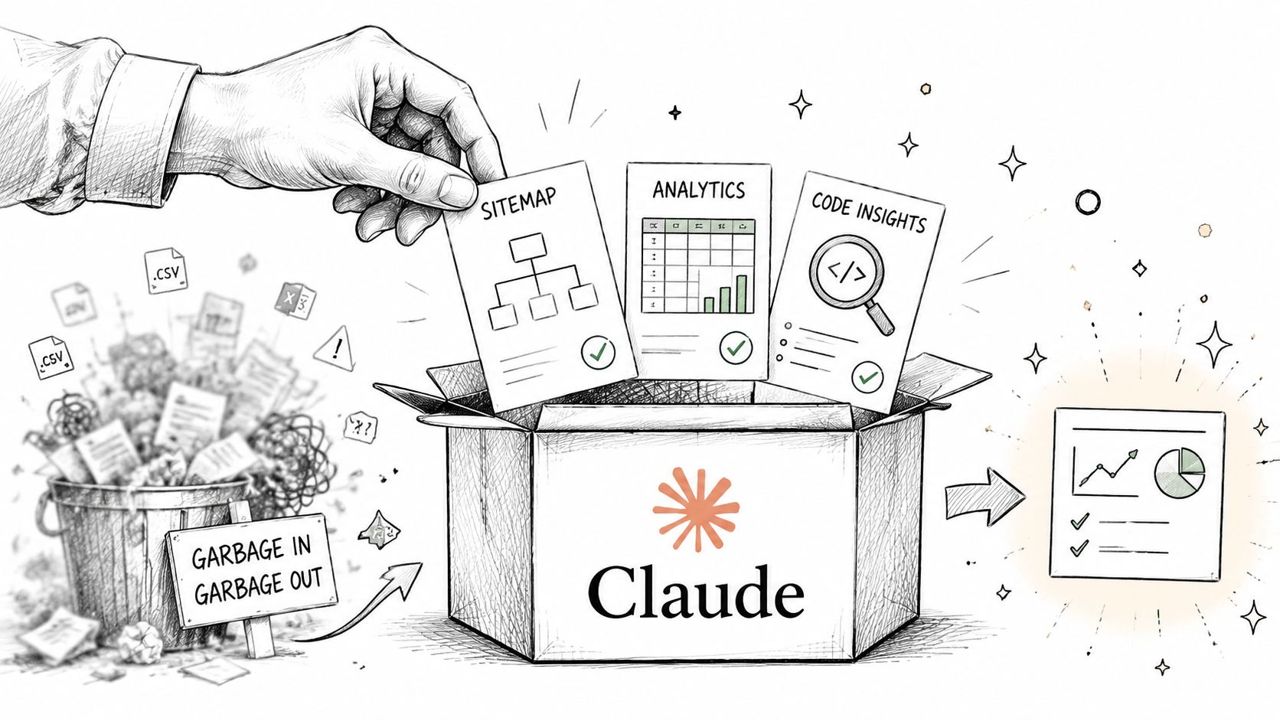
What to export before you prompt anything
Use a consistent folder structure. Keep raw exports separate from cleaned working files. Claude performs better when the naming is obvious and the scope is constrained.
A practical input set usually includes:
- Internal URL crawl export: Your base file for URLs, indexability, directives, canonicals, headings, word count, and template patterns.
- Redirect and response exports: These help isolate redirect chains, mixed protocol issues, broken internal targets, and migration leftovers.
- Inlinks export: This is essential for finding weak internal link distribution, orphan-like pages, and overlinked utility sections.
- Images export: Useful for image indexing, oversized media patterns, missing alt text, and weak image associations.
- Search Console page export: Helps connect technical problems to visibility and business potential.
- Search Console query export: Gives extra context for mismatched intent, poor CTR pages, and title rewrite candidates.
- Manual notes file: Add plain-language observations from your review. Claude can use these to interpret the data more intelligently.
If you work on migrations or protocol cleanup, include protocol-specific findings and redirect behavior. That often becomes much easier to reason through when paired with a dedicated review of SEO HTTP to HTTPS migration issues.
How to package the files so Claude stays accurate
Don't dump a folder full of exports into Claude and ask for genius. Preprocess the files first.
That means removing irrelevant columns, standardizing headers, and separating very large datasets into chunks by page type or issue class. If the site is large, segment by templates such as product, collection, blog, docs, feature pages, and location pages. If the issue is broad, segment by problem type such as canonicals, duplicate titles, or indexable parameter pages.
A good general primer on why that cleanup matters is Elyx AI's guide to data preprocessing. The point isn't the tooling. It's the discipline. Clean inputs produce safer outputs.
Field note: Claude is far better at comparing curated tables than interpreting a giant raw export with inconsistent column names.
Use a simple packaging rule:
| File type | What to include | What to remove |
|---|---|---|
| Crawl CSV | URL, status, indexability, title, H1, canonical, inlinks, depth | Decorative columns you won't reference |
| GSC page export | URL, clicks, impressions, CTR, average position | Date clutter if not needed |
| GSC query export | Query, page, impressions, clicks | Low-value dimensions that blur the task |
| Manual notes | Template observations, rendering issues, stakeholder priorities | General commentary with no action value |
Prompt templates for input-stage analysis
These work well because they constrain the task.
Template for page-level opportunity review
"Review the attached crawl file and page performance export. Identify URLs that combine meaningful search visibility with clear technical or on-page weaknesses. Prioritize pages that are commercially important. Return a table with URL, observed issue, likely impact, and recommended next action."
Template for title and CTR review
"Using the crawl export and query/page performance data, flag pages with strong impressions but weak CTR where title tags or meta descriptions may be misaligned with intent. Separate recommendations by template type."
Template for internal linking review
"Analyze the inlinks export and internal URL file. Identify important pages with weak internal link support, overlinked utility pages, and sections that may be wasting crawl paths. Summarize findings by directory or template."
Those prompts are simple on purpose. Claude performs better when you define the evidence, the lens, and the output shape.
Core Prompting Techniques for Technical Analysis
The best prompts in a Claude Code SEO audit workflow aren't clever. They're controlled. They tell Claude what files matter, what job to do, what output format to use, and what constraints not to violate.
Prompt for a constrained task not a vague audit
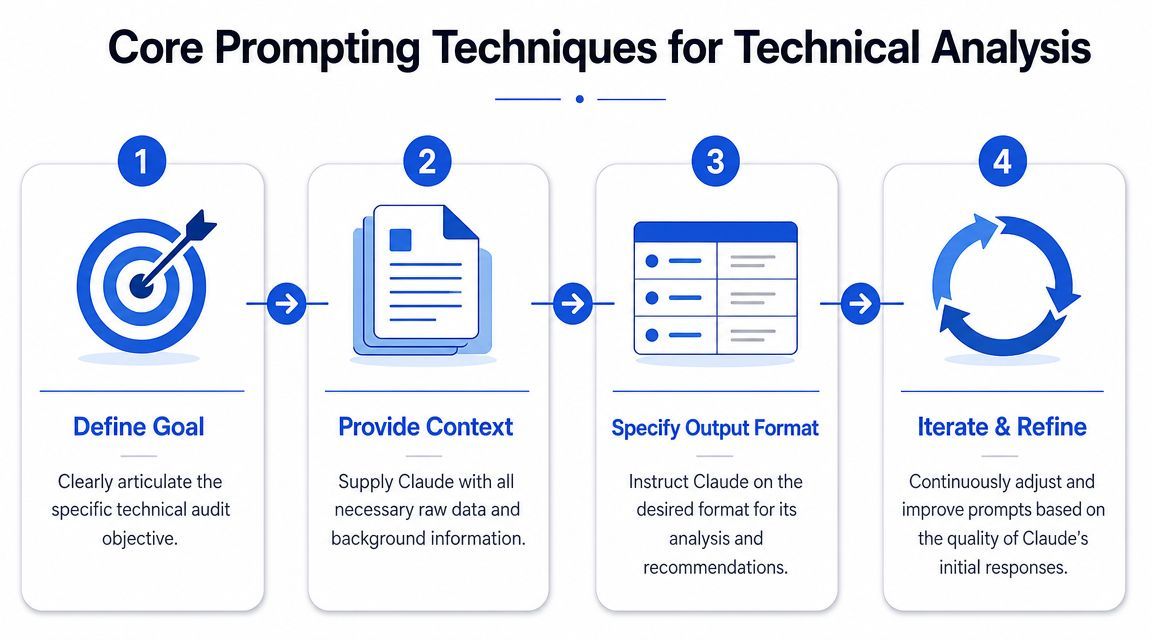
A weak prompt asks for a site audit. A strong prompt asks for a tightly bounded analysis.
Use this structure:
- Goal: State the exact technical question.
- Context: Name the files and explain what they represent.
- Rules: Tell Claude what assumptions it may not make.
- Output format: Force a table, JSON block, or markdown structure.
- Priority lens: Add business context so recommendations aren't generic.
For example:
Analyze the attached crawl export and inlinks data. Find indexable pages with fewer internal links than their template peers. Treat pricing, product, service, and demo-related pages as commercially important. Do not infer traffic or conversion value unless shown in the supplied files. Return a markdown table with URL, template type, issue, likely consequence, and recommended fix.
That style does two things. It narrows hallucination risk, and it gives you output that can move directly into a spreadsheet, ticket, or client deck.
A published milestone in this area is the move toward structured, time-boxed Claude audit processes. One workflow states that a full Claude SEO audit can run in 90 minutes, while another demo shows a full technical audit from a single prompt in about 7 minutes of walkthrough time. The same workflow references current Core Web Vitals thresholds of LCP under 2.5 seconds, INP under 200 milliseconds, and CLS under 0.1 in its audit process, which keeps the analysis aligned with current standards instead of dated heuristics, as described in this Claude SEO audit workflow writeup.
A quick demo helps show the pacing and structure in practice.
Use Claude twice once to analyze and once to summarize
Teams often stop too early. They get a useful technical response and paste it into a doc. That's where quality drops.
Use Claude in two passes.
First pass: extract findings from the data.
Second pass: re-feed those findings and ask Claude to organize them for a specific audience such as engineering, marketing, content, or leadership.
The best technical observation isn't always the best client-facing message; different stakeholders have distinct information requirements. A developer needs exact issue logic. A CMO needs impact, priority, and dependencies. A content lead needs page groups and rewrite opportunities.
Raw findings don't create momentum. A decision-ready summary does.
Prompt examples that save real audit time
Here are prompts that work because each solves one audit problem cleanly.
Duplicate heading review
"Compare H1 data across indexable pages. Identify duplicate H1 groups. Use page titles and URL paths to suggest more distinct alternatives, but don't invent target keywords beyond what's already implied by the page."
Migration cleanup review
"Review protocol, redirect, canonical, and status data. Find URLs that suggest unresolved HTTP to HTTPS, redirect chain, or canonical inconsistency issues. Group the findings by severity and note whether the problem appears template-wide or isolated."
Orphan and weak-support review
Using the internal URL and inlinks exports, identify URLs with minimal internal support that appear indexable and commercially relevant. Separate pages that are isolated from pages that are buried.
Rendered content review
"Using browser notes, screenshots, and crawl exports, identify where rendered page content appears inconsistent with crawlable source elements such as headings, meta tags, or structured content blocks."
What doesn't work is overloading one prompt with every technical concern you have. Claude starts generalizing. Keep each task narrow, then combine outputs later.
Structuring Prioritizing and Reporting Results
A technical audit becomes valuable when findings are ranked, framed, and assigned. That's where Claude Code can move from analyst to workflow assistant.
Turn findings into a decision framework
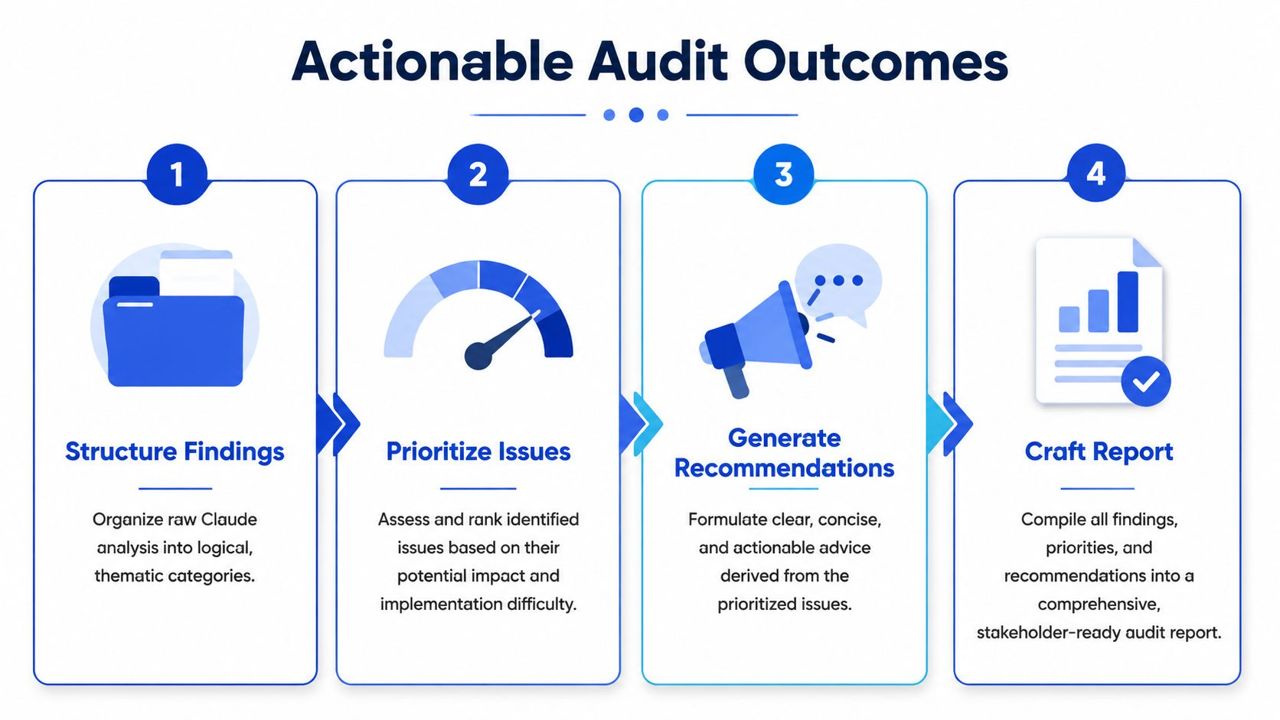
After the first analysis pass, force structure immediately. Ask Claude to convert all findings into a standard format such as:
| Issue | Affected URLs or templates | Evidence | Impact | Effort | Recommendation | Owner |
|---|
That alone removes a lot of audit chaos.
Then run a second prompt that adds business logic. For example, tell Claude the site is a SaaS brand and demo signups matter most, or an ecommerce brand where category and product visibility should outrank blog clean-up. The recommendations become sharper when Claude knows what deserves protection first.
A practical framework is:
- Critical: Blocks crawling, indexing, rendering, or key commercial page visibility
- High: Damages important templates, internal equity flow, or search presentation
- Medium: Reduces efficiency or weakens performance but doesn't block growth directly
- Low: Worth fixing, but not before higher-impact issues are resolved
This kind of prioritization is also relevant for modern visibility beyond classic search. If your report needs to reflect how pages perform for answer engines and citation-style discovery, that overlaps with broader AI search optimization services.
Use scoring carefully not blindly
A useful published model for this kind of workflow is the weighted approach described in Claude SEO's scoring documentation. That workflow uses 25 sub-skills and 18 subagents, with weighted scoring across 7 categories: content quality 23%, technical SEO 22%, on-page SEO 20%, schema 10%, performance and Core Web Vitals including INP 10%, AI search readiness 10%, and images 5%. It outputs a 0 to 100 health score plus a prioritized action plan with critical, high, medium, and low severity levels.
That model is useful because it gives structure. It isn't useful if you treat the score as truth.
A health score helps compare environments, summarize a baseline, and show progress over time. It should not replace expert review. Two sites can produce similar top-line scores while having very different business risks. A blocked pricing page and a messy image alt-text profile are not equivalent problems, even if both contribute to the score.
Decision test: If a score doesn't help you decide what engineering fixes this sprint, it's presentation, not prioritization.
What a client-ready output should include
A good final report doesn't try to impress with volume. It creates a path to implementation.
Include:
- Executive summary: What is broken, why it matters, and what gets fixed first.
- Priority roadmap: A short list of actions grouped by severity and owner.
- Template-level findings: Show whether issues are isolated or systemic.
- Evidence appendix: Keep screenshots, exported examples, and URL samples available.
- Dependency notes: Identify where one fix enables several others.
- Implementation language: Rewrite vague recommendations into specific tasks.
The evidence point matters more than many teams realize. If you're handing recommendations to developers or compliance-minded stakeholders, documenting the basis for each issue improves trust. A non-SEO but useful reference on this habit is the guide to audit evidence, which reinforces the value of traceable support behind findings.
A report should also separate "fix now" from "fix eventually." Claude is good at generating both. Your job is to keep them apart.
Advanced Workflows and Common Pitfalls
Once the core process is stable, you can extend it. At this point, Claude Code becomes more than a summarizer and starts helping with evidence collection, browser checks, and repeatable workflows across large sites.
Where browser-based inspection changes the workflow
One practical pattern is connecting Claude Code to browser-level tooling so it can inspect pages the way a user and crawler would. In a documented workflow, Claude Code is connected to browser tooling and asked to visit the homepage, capture screenshots, extract page data, check headings and meta tags, review responsiveness, verify robots.txt and sitemap availability, and then write a markdown report, as described in this browser-in-the-loop Claude Code SEO audit workflow.
That matters because static code and fetch-based review often miss what rendered pages expose. For JavaScript-heavy sites, browser inspection closes an important gap.
This is especially useful when auditing:
- Rendered navigation: Menus, filters, and faceted links that don't appear cleanly in raw HTML review.
- Template integrity: Cases where title tags, headings, or body blocks shift between source and rendered state.
- Visual evidence: Screenshots help validate what stakeholders and developers will see.
For large content systems or page-template networks, this starts to look a lot like operational SEO at scale. That's one reason the workflow pairs well with broader thinking around programmatic SEO, where template discipline and repeatable QA matter more than one-off page checks.
Common failure points to watch
The biggest pitfall is assuming Claude saw what it didn't see.
A documented issue in the open-source Claude SEO ecosystem is schema detection blind spots when structured data is injected by JavaScript and the fetch layer can't see it. That means a report can incorrectly suggest schema is missing when the rendered page contains it, or the reverse if the implementation is broken after render. Browser validation fixes part of that, but you still need to verify.
Other common failure points are less technical and more operational:
- Unbounded prompts: If you ask for an entire audit in one shot, the findings get vague fast.
- Mixed datasets: If raw files from different crawl dates are combined, the analysis becomes unreliable.
- No page-type segmentation: Large sites need template grouping or the recommendations stay generic.
- No owner mapping: A finding without an owner often dies in the report.
The mature workflow is semi-automated, not fully delegated. Claude can accelerate triage, draft recommendations, and help package evidence. An SEO still needs to validate edge cases, weigh business context, and decide what should happen first.
Conclusion The SEO Strategist Reimagined
The strongest Claude Code SEO audit workflow doesn't try to automate expertise away. It removes the repetitive parts that slow experts down.
Crawlers still collect the evidence. Search Console still provides visibility signals. Browser checks still confirm what users and search systems can access. Claude Code provides an advantage by connecting those inputs, spotting patterns faster, and turning technical noise into a prioritized roadmap.
That changes the strategist's role for the better. Less time goes into spreadsheet cleanup and issue clustering. More time goes into sequencing fixes, aligning SEO with revenue pages, and helping teams implement work that improves search visibility.
If you're building a technical audit process around growth instead of vanity checklists, keep the workflow hybrid, evidence-based, and ruthless about prioritization.
If you want a senior SEO partner to turn audits into implementation plans that support traffic quality, leads, and revenue, explore SEOBRO®.