Real estate schema markup is JSON-LD structured data (mainly RealEstateListing, RealEstateAgent, and the Accommodation family) that tells search engines what a listing or agent page represents at the entity level: this property, this price, this brokerage, this service area. It will not get your listings a special card in Google, because no such rich result exists. What it does is make your pages legible to Google’s entity graph and to AI search, and feed the features that still work, like the local knowledge panel. This guide covers the types that actually apply, complete JSON-LD you can adapt today, and an honest inventory of which real estate rich results are alive, dead, or gated.
What is schema markup for real estate (and what it actually gets you)
“SEO schema for real estate” and “real estate schema markup” mean the same thing: machine-readable labels, embedded in a page’s HTML, that identify the page as a property listing or an agent’s business and spell out its attributes: address, price, bedrooms, coordinates, opening hours. The format question is settled. Google’s docs state that “Google recommends using JSON-LD for structured data if your site’s setup allows it” because it’s the easiest to maintain at scale. Write JSON-LD; ignore microdata tutorials from 2015.
Now the part most guides skip. They imply listing markup earns “rich snippets with photos and prices.” Check Google’s own structured data features gallery: none of the features it lists is a real-estate listing result. There is no RealEstateListing rich result. There never has been.
So why do it at all? Three payoffs hold up:
- Entity understanding. Marked-up pages tell Google unambiguously that this URL is a listing for this property at this price, and that URL is a brokerage serving this city. That disambiguation feeds rankings for entity-adjacent queries and, increasingly, AI-generated answers.
- Eligibility for the generic features that do exist. Breadcrumbs, video (virtual tours), image metadata, and Article markup for your blog content all still render in results.
- The knowledge panel and local surface. Agent and brokerage markup is LocalBusiness markup, and LocalBusiness structured data feeds the business knowledge panel.
The measured upside is real where features apply. In Google’s published case studies, Rotten Tomatoes measured a 25% higher click-through rate on pages with structured data, Nestlé measured 82% higher CTR for pages appearing as rich results, and Rakuten found users spend 1.5x more time on structured-data pages. Those are structured-data results in general, not real-estate listing cards. Keep the distinction.
One policy line to internalize before writing any markup: “Google does not guarantee that your structured data will show up in search results, even if your page is marked up correctly according to the Rich Results Test.” Schema buys eligibility, never entitlement.
The schema.org types that actually apply to real estate
Map your page types before touching code. Real estate needs exactly four patterns:
| Page type | Schema type | What it describes |
|---|---|---|
| Listing detail page | RealEstateListing wrapping an Offer and an Accommodation subtype | The page, the deal, and the property: three separate entities |
| Agent profile or brokerage homepage | RealEstateAgent | The business |
| Office location page | RealEstateAgent with PostalAddress and GeoCoordinates | The physical office |
| Blog posts and area guides | Article plus BreadcrumbList | The content |
The single most common mistake in real estate structured data is miscasting RealEstateListing. Per schema.org, it is “a listing that describes one or more real-estate Offers (whose businessFunction is typically to lease out, or to sell),” and it’s a subtype of WebPage (Thing > CreativeWork > WebPage) with exactly two properties of its own: datePosted and leaseLength. Read that again: it describes the page, not the house. The property itself is an Accommodation subtype: SingleFamilyResidence, House, or Apartment. The deal (price, currency, sale versus lease) is an Offer. Cramming bedrooms and price directly onto RealEstateListing produces markup that validates with “no errors” and communicates almost nothing.
The agent side is simpler. schema.org defines RealEstateAgent as a subtype of LocalBusiness, which means everything Google says about LocalBusiness markup applies to agents and brokerages directly. More on that below.
One anti-recommendation: skip Product markup for listings, even though several SEO blogs suggest it. Nothing in Google’s Product documentation supports real-estate use, and Google limits merchant listing results to pages where a shopper can actually buy the product online, which a property listing is not. You’d be labeling a house as an e-commerce SKU and hoping Google plays along.
JSON-LD example: a property listing page
Here is a complete block for a for-sale listing: RealEstateListing wrapping an Offer wrapping a SingleFamilyResidence. Drop it in a script type="application/ld+json" tag and replace the values from your listing data:
{
  "@context": "https://schema.org",
  "@type": "RealEstateListing",
  "@id": "https://example-realty.com/listings/1847-maple-ave/#listing",
  "url": "https://example-realty.com/listings/1847-maple-ave/",
  "name": "1847 Maple Ave, Austin, TX 78704, 4-bed single-family home for sale",
  "datePosted": "2026-06-28",
  "mainEntity": {
    "@type": "Offer",
    "businessFunction": "http://purl.org/goodrelations/v1#Sell",
    "price": 739000,
    "priceCurrency": "USD",
    "availability": "https://schema.org/InStock",
    "itemOffered": {
      "@type": "SingleFamilyResidence",
      "name": "1847 Maple Ave",
      "numberOfBedrooms": 4,
      "numberOfBathroomsTotal": 3,
      "floorSize": {
        "@type": "QuantitativeValue",
        "value": 2450,
        "unitCode": "FTK"
      },
      "address": {
        "@type": "PostalAddress",
        "streetAddress": "1847 Maple Ave",
        "addressLocality": "Austin",
        "addressRegion": "TX",
        "postalCode": "78704",
        "addressCountry": "US"
      },
      "geo": {
        "@type": "GeoCoordinates",
        "latitude": 30.24721,
        "longitude": -97.76428
      },
      "image": [
        "https://example-realty.com/photos/1847-maple-front.jpg",
        "https://example-realty.com/photos/1847-maple-kitchen.jpg"
      ]
    }
  }
}
Four choices in there are worth explaining:
mainEntitycarries the Offer. RealEstateListing is a WebPage subtype, andmainEntityis how a WebPage points at the thing it’s about. The deal is the main entity; the property nests inside it asitemOffered.businessFunctionuses the GoodRelations vocabulary.#Sellfor sales,#LeaseOutfor rentals. It’s the one field that formally distinguishes a sale listing from a rental, so don’t omit it.- Property facts live on the residence, not the listing. Bedrooms, bathrooms, floor size, address, geo all live on the
SingleFamilyResidence. TheunitCode“FTK” means square feet; use “MTK” for square meters. - Every value must be visible on the page. Price, beds, address: if it’s in the JSON-LD, it must be in the rendered content too. That’s Google policy, covered in the validation section.
For a rental, switch the business function and use leaseLength, one of RealEstateListing’s two native properties:
{
  "@context": "https://schema.org",
  "@type": "RealEstateListing",
  "url": "https://example-realty.com/rentals/402-elm-st-2b/",
  "name": "402 Elm St Unit 2B, 2-bed apartment for rent",
  "datePosted": "2026-07-01",
  "leaseLength": {
    "@type": "QuantitativeValue",
    "value": 12,
    "unitText": "months"
  },
  "mainEntity": {
    "@type": "Offer",
    "businessFunction": "http://purl.org/goodrelations/v1#LeaseOut",
    "price": 2150,
    "priceCurrency": "USD",
    "itemOffered": {
      "@type": "Apartment",
      "numberOfBedrooms": 2,
      "numberOfBathroomsTotal": 1,
      "address": {
        "@type": "PostalAddress",
        "streetAddress": "402 Elm St",
        "addressLocality": "Austin",
        "addressRegion": "TX",
        "postalCode": "78702",
        "addressCountry": "US"
      }
    }
  }
}
JSON-LD example: agent and brokerage pages
Because RealEstateAgent is a LocalBusiness subtype, Google’s LocalBusiness documentation governs it: required properties are name and address; geo, telephone, openingHoursSpecification, priceRange, and url are recommended; and the markup can feed the business knowledge panel. The same doc tells you to “use the most specific LocalBusiness sub-type possible.” For a brokerage that’s RealEstateAgent, not a generic LocalBusiness.
{
  "@context": "https://schema.org",
  "@type": "RealEstateAgent",
  "@id": "https://example-realty.com/#agency",
  "name": "Example Realty Group",
  "url": "https://example-realty.com/",
  "image": "https://example-realty.com/images/office-front.jpg",
  "telephone": "+1-512-555-0148",
  "priceRange": "$$",
  "address": {
    "@type": "PostalAddress",
    "streetAddress": "900 Congress Ave, Suite 210",
    "addressLocality": "Austin",
    "addressRegion": "TX",
    "postalCode": "78701",
    "addressCountry": "US"
  },
  "geo": {
    "@type": "GeoCoordinates",
    "latitude": 30.26893,
    "longitude": -97.74320
  },
  "openingHoursSpecification": [
    {
      "@type": "OpeningHoursSpecification",
      "dayOfWeek": ["Monday", "Tuesday", "Wednesday", "Thursday", "Friday"],
      "opens": "09:00",
      "closes": "18:00"
    }
  ],
  "areaServed": "Austin, TX",
  "sameAs": [
    "https://www.zillow.com/profile/example-realty",
    "https://www.realtor.com/realestateagents/example-realty",
    "https://www.linkedin.com/company/example-realty"
  ]
}
Two details carry more weight than they look:
sameAsdisambiguates the entity. Pointing at your Zillow profile, Realtor.com profile, and Google Business Profile connects your site to profiles Google already trusts, which is exactly how knowledge panels get assembled.- NAP must match everywhere, character for character. The name, address, and phone in this block should be identical to your Google Business Profile and citations. Markup amplifies consistent data; it cannot repair inconsistent data. That consistency work is half of local SEO for real estate, and it’s what actually moves the local pack.
Brokerages with several offices should emit one RealEstateAgent block per location page, each with its own address, geo, and phone. If you’re building location pages at multi-office scale, that’s standard local SEO architecture. Schema is the last mile of it, not the first.
What earns rich results vs cargo cult
This is where real estate schema advice has rotted. A large share of what’s published (FAQ blocks for stars, review markup on testimonials, HowTo guides for sellers) targets features that no longer exist for you. Here’s the 2026 status board:
| Feature | Status for real estate sites |
|---|---|
| Local business knowledge panel | Works. Feed it with RealEstateAgent markup |
| Breadcrumb | Works. Cheap win on deep listing URLs |
| Video | Works. Mark up virtual tours and walkthroughs |
| Article | Works for blog posts and area guides |
| Image metadata | Works. Useful for listing photography |
| FAQ rich results | Dead. Removed from Search entirely in May 2026 (gov/health only 2023 to 2026) |
| HowTo | Removed from Google Search entirely |
| Review stars on your own testimonials | Ineligible by explicit policy |
| Vacation rental cards | Gated behind a Google partner program |
| Real-estate listing card | Doesn’t exist. Never has |
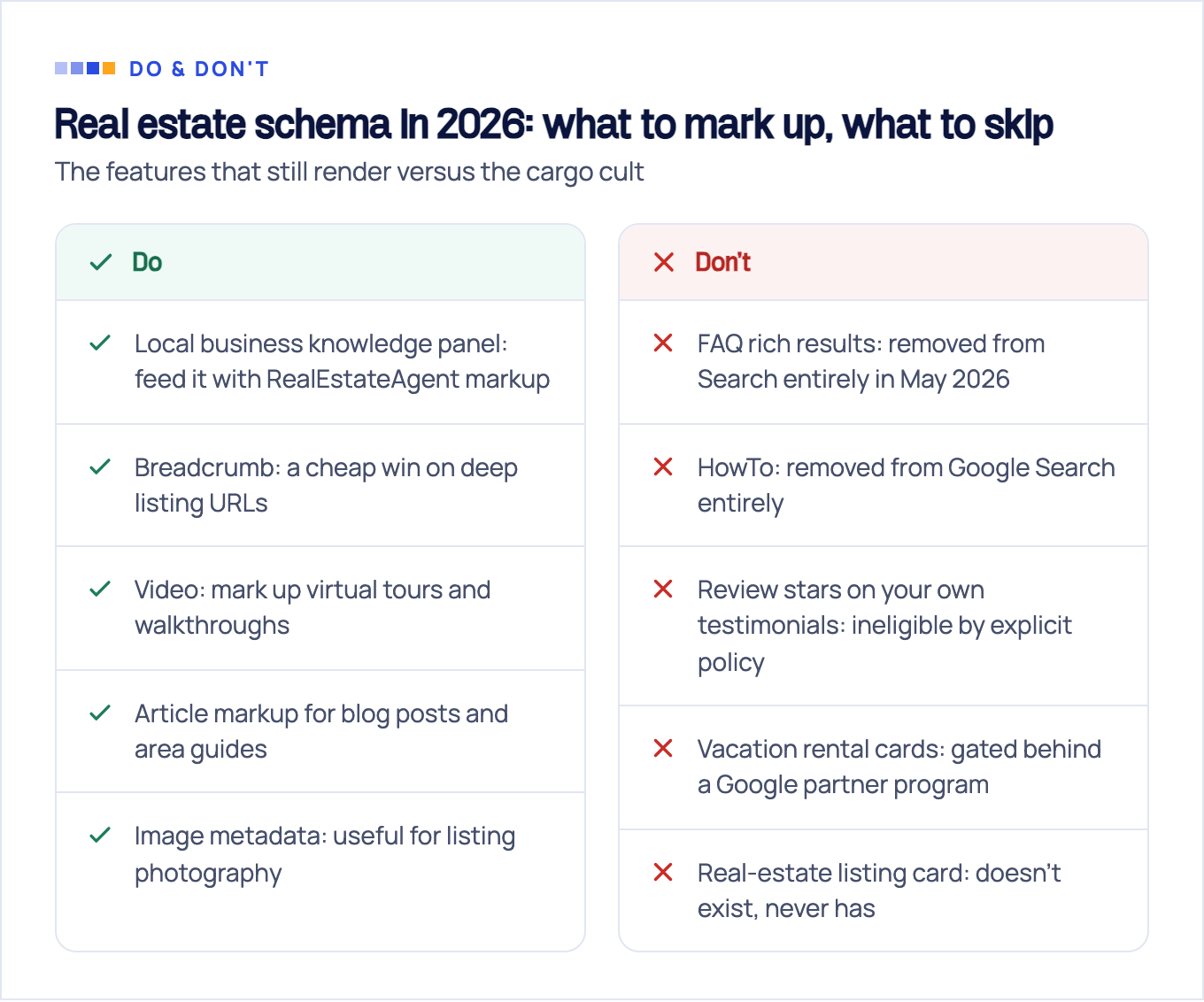
The four dead-or-gated rows deserve receipts, because agencies still sell all four:
FAQ and HowTo. In August 2023 Google announced that FAQ rich results “will only be shown for well-known, authoritative government and health websites” and that HowTo rich results would show only on desktop, no longer on mobile. HowTo did not survive long after that: an update appended to the same post records that as of September 13, 2023, Google Search stopped showing HowTo rich results on desktop too, which deprecated the type outright. FAQ lasted longer. Google finished the job on May 7, 2026, dropping FAQ rich results for every site, including the government and health domains that kept them after 2023. A realtor site adding FAQPage markup today is decorating its source code. The FAQ content can still be worth writing. It just earns nothing in the SERP for carrying markup.
Self-serving review stars. Google’s review snippet documentation is blunt: “If the entity that’s being reviewed controls the reviews about itself, their pages that use LocalBusiness or any other type of Organization structured data are ineligible for star review feature.” Marking up the testimonials on your own site will not produce stars. Stars for your business come from reviews on Google Business Profile, shown in the local panel, a different system entirely.
Vacation rental markup. The VacationRental type looks like the exception. It’s in the gallery. But Google’s vacation rental documentation states the instructions “are intended for sites that have already connected with a Google Technical Account Manager and have access to the Hotel Center,” with requirements like a minimum of 8 images and coordinates precise to 5 decimal places. An IDX site cannot add VacationRental JSON-LD and get booking cards. Without the partner relationship, that markup is inert.
How to add and validate real estate schema
Hand-writing JSON-LD is fine for one office page. It fails for 400 listings that change price and status weekly. In this niche, structured data for real estate listings has to be generated from your listing data at the template level:
- IDX and MLS platforms. Audit what your platform already emits before adding anything: view source on a live listing and search for
application/ld+json. Many themes output a generic WebPage block or broken Product markup; you want to replace that, not stack on top of it. - WordPress. The theme and an SEO plugin often both emit markup. Two blocks claiming different types for the same page is worse than one modest block.
- Custom builds. Render the JSON-LD server-side from the same fields that render the visible listing. One source of truth means the markup can’t drift from the page.
Validate in two tools, because they answer different questions. The Rich Results Test tells you whether Google sees a feature-eligible type. The schema.org validator checks syntax and vocabulary for everything else, which matters here, since RealEstateListing isn’t a Google feature and the Rich Results Test will mostly shrug at it.
Three mistakes come up in nearly every audit we run:
- Marking up data the visitor can’t see. Google’s policy is explicit: “Don’t mark up content that is not visible to readers of the page.” If the price is only in the JSON-LD, remove it or surface it.
- Stale offers. Sold and rented properties still marked available with a live price. At best it’s noise; at worst it reads as misrepresentation across hundreds of URLs.
- Conflicting types on one URL. Theme says WebPage, plugin says Product, developer adds RealEstateListing. Pick one owner for structured data per template.
One rendering caveat: if your listings load through a client-side IDX widget, your JSON-LD may be injected client-side too. Keep it in the server-delivered HTML so crawlers that skip JavaScript still get it. Untangling who-emits-what across a theme, a plugin, and an IDX feed is bread-and-butter technical SEO work, worth an audit before you scale markup across every listing.
Where schema fits in a real estate SEO strategy that generates leads
Schema is a force multiplier, not a strategy. It makes good pages more legible; it cannot make irrelevant pages rank or create demand that isn’t there. If your listing and area pages don’t target searches buyers actually make, perfect JSON-LD amplifies nothing.
The priority stack that generates leads looks like this:
- Keyword targeting. District-level buyer and seller queries, the layers we break down in our real estate SEO keywords guide.
- Local presence. Google Business Profile, citations, and location pages that match how people search for agents.
- Technical foundation, schema included: crawlable listings, fast templates, clean structured data.
The schema layer is also quietly gaining a second job: AI search assistants resolve businesses and properties as entities, and clean structured data is one of the few unambiguous signals you control. The same markup that feeds Google’s knowledge panel today makes your brokerage easier to cite in AI answers tomorrow.
We build this full stack for brokerages and agents. After 10+ years and 100+ clients across the USA, UK, and EU, schema is step one of week one, never the whole plan. If you want the complete picture of what that looks like in this niche, see our approach to real estate SEO.
Sources & fact-check
Every factual claim in this article is checked against primary sources, not opinion. Written by Dmitry Shpytaliev, Master SEO tech & content. Last verified July 16, 2026.
- OfficialGoogle Search Central, Search documentation updates changelog (records removal of HowTo and FAQ rich results)
- OfficialGoogle Search Central Blog, Changes to HowTo and FAQ rich results (HowTo desktop only, FAQ to gov and health)
- OfficialGoogle Search Central, Merchant listing structured data (only pages where a shopper can buy are eligible)
- OfficialGoogle Search Central, Structured data markup that Google Search supports (no real estate, FAQ or HowTo entry)
- OfficialGoogle Search Central, Introduction to structured data markup (JSON-LD guidance and the case study figures)
- Officialschema.org, RealEstateListing (WebPage subtype with only datePosted and leaseLength, not the property itself)
