A complete SaaS SEO checklist covers six work streams: technical foundation, a funnel-mapped keyword list, money pages, a content engine, links, and AI search visibility. This version organizes those streams into six time-boxed sprints for your marketing site (not the app itself), each with concrete check items and a definition of done. The condensed table below is the whole checklist; every sprint is expanded underneath with the how and the why.
The SaaS SEO checklist at a glance
Copy this table into your project tracker. It is built to be run, not read.
| Sprint | Check items | Done when |
|---|---|---|
| 1. Technical foundation | One canonical host · rel=canonical on every indexable page · app/staging/login kept out of the index · XML sitemap submitted · Core Web Vitals pass · JS rendering verified | Target pages indexed in GSC, CWV green, content visible in raw HTML |
| 2. Keyword map | Harvest alternatives + “vs” terms · integration and use-case keywords · pricing-intent terms · then MOFU/TOFU · one URL per intent | Every keyword has a URL, funnel stage, and priority |
| 3. Money pages | Category keyword in title · single H1 · real comparison pages · internal links from blog to money pages · visible pricing · CTA above the fold | Each money page targets one keyword and converts |
| 4. Content engine | Hub-and-spoke clusters · docs assigned an SEO role · cadence tied to the map · refresh-or-kill old posts · internal-link rules | Every new post supports a money keyword |
| 5. Links | Competitor gap check · free tools · data studies · integration-partner pages · unlinked mentions · G2/Capterra profiles | A repeatable pipeline of relevant links exists |
| 6. AI visibility | OAI-SearchBot allowed · deliberate GPTBot decision · answer-first H2s · consistent entity descriptions · FAQ blocks on money pages | Your product is quotable and crawlable by AI search |
Two clarifications before you start. First, this checklist covers the marketing site (the pages that rank and convert), not the product behind the login. Second, it is the execution companion to our full SaaS SEO guide: the guide explains the strategy behind each item in depth, this page turns it into a runnable plan. Work the sprints in order; each one builds on the last.
Sprint 1: Technical foundation (one week)
Everything else in this checklist assumes Google can crawl, render, and index your pages. One week is enough for a typical SaaS marketing site because the surface area is small: usually a few hundred URLs, not millions.
Pick one canonical host and enforce it. Choose www or apex, redirect http to https, and set rel=canonical on every indexable page. Per Google’s canonicalization documentation, rel=canonical is “a strong signal that the specified URL should become canonical,” and consolidating duplicates lets Google combine signals such as links into a single preferred URL. Without it, every link your comparison page earns might be split across four URL variants.
Keep the app out of the index. Noindex or block app.*, staging environments, and login screens. These pages are thin, often duplicated, and a signup wall is not a landing page. Google indexing your staging subdomain is a self-inflicted duplicate-content problem.
Submit an XML sitemap with marketing URLs only. A single sitemap file is capped at 50MB uncompressed or 50,000 URLs per Google’s sitemap documentation. That is a limit almost no SaaS marketing site will hit, which tells you something about how small your real index footprint should be.
Hit the Core Web Vitals thresholds. Google’s targets are LCP within 2.5 seconds, INP under 200 milliseconds, and CLS below 0.1, and its Core Web Vitals documentation says achieving good Core Web Vitals, “along with other page experience aspects, aligns with what our core ranking systems seek to reward.” Check field data in Search Console, not just a lab run on your laptop.
Verify JavaScript rendering if your site runs on React, Next, or Vue. Google processes JavaScript in a separate rendering phase using a headless Chromium, and its JavaScript SEO documentation is blunt about the implication: “server-side or pre-rendering is still a great idea” because “not all bots can run JavaScript.” Google also only discovers links that are real <a> elements with an href attribute. OnClick routers are invisible. View source on your homepage; if the content is not in the raw HTML, fix that before writing a single blog post.
Definition of done: the site resolves on one host, Search Console shows your target pages indexed, Core Web Vitals pass in field data, and your key content appears in raw HTML. If nobody in-house owns this layer, our technical SEO service runs exactly this sprint for SaaS teams.
Sprint 2: Keyword map by funnel stage
Keyword research for SaaS starts at the bottom of the funnel and works up, the reverse of how most content teams operate. The buyer closest to a demo is searching for comparisons, not definitions.
Harvest in this order:
- Competitor terms. Every “CompetitorX alternatives” and “You vs CompetitorX” query in your category. Add “CompetitorA vs CompetitorB” referee queries where you can show up as the honest third option.
- Integration and use-case terms. One keyword per integration pairing and per job your product does.
- Pricing-intent terms. “CompetitorX pricing,” “[category] cost.” Buyers checking budgets are buyers.
- MOFU and TOFU terms. How-to and definitional queries, only after the commercial layer is mapped.
Then validate ruthlessly. An Ahrefs study of roughly 14 billion pages found that 96.55% of all pages get zero traffic from Google, and the causes are exactly the ones a keyword map prevents: no search demand, no backlinks, or an intent mismatch. Every keyword that survives validation gets assigned to one URL (existing or planned) before anyone writes a word.
Prioritize by pipeline likelihood, not volume. A 90-searches-per-month alternatives query from buyers actively switching tools beats a 20,000-volume definition query from students every time. This is the core of how we run B2B SaaS SEO programs, and it is the single biggest difference between a checklist that produces demos and one that produces sessions.
Sprint 3: Money pages (homepage, features, pricing, comparisons)
These are the pages that turn rankings into revenue, and most SaaS SEO checklists skip them entirely in favor of blog advice. Work through each money page (homepage, category/features pages, pricing, comparisons) against this list:
- Title and meta description carry the category keyword plus your differentiator. “Applicant tracking system for agencies” beats a tagline nobody searches for.
- One H1 per page, matching the target query’s language.
- Comparison and alternatives pages are real content. Hands-on screenshots, honest feature tables that mark where the competitor wins, and a verdict per segment. A thin autogenerated table ranks briefly and converts never.
- Internal links point down the funnel. Every relevant blog post links to the money page it supports, with descriptive anchors. Blog posts are tributaries; money pages are the river.
- Pricing signals are visible. If you publish pricing, make it crawlable text. If you cannot, publish a range or a starting point. Buyers on pricing-intent queries bounce off “Contact sales” walls.
- Trial or demo CTA sits above the fold. The page’s job is a conversion, not a scroll depth record.
This sprint is the FLG method in miniature: rank and optimize the pages that generate demos before scaling the pages that generate traffic. Definition of done: every money page targets exactly one mapped keyword, has internal links from at least a handful of related posts, and has a conversion path you can see without scrolling.
Sprint 4: Content engine
With money pages standing, content’s job is to feed them. The checklist here is short by design. The full guide covers content strategy in depth, and the common failure mode is doing too much of this sprint and none of the previous one.
- Build hub-and-spoke clusters around each money keyword. Every cluster exists to push authority and internal links toward one commercial page.
- Assign docs and help-center pages an SEO role. Some target long-tail product queries and deserve optimization; the rest should be deliberately excluded from your sitemap priorities. Decide per page, not by default.
- Tie publish cadence to the keyword map, not a calendar. Two posts a week is not a strategy; covering the mapped keywords is.
- Run refresh-or-kill on posts older than 12 months. Update the ones with impressions, consolidate or remove the ones without. Dead posts dilute the crawl and the sitemap.
- Enforce internal-link rules. Every new post links to at least one money page and two sibling posts before it ships.
One caution on programmatic pages, meaning integration directories, template galleries, and generated landing pages. Index only the pages with demonstrated search demand. No search demand is one of the three causes of zero traffic the Ahrefs study from Sprint 2 names, and it fits this kind of inventory exactly: pages published because they were cheap to generate, not because anyone searches for them.
Sprint 5: Links that move SaaS rankings
Links remain the hardest part of the checklist and the part most SaaS teams quietly skip. The same Ahrefs study found that only about 1 in 6,671 pages without backlinks exceeds 1,000 monthly search visits. Content without authority is a lottery ticket.
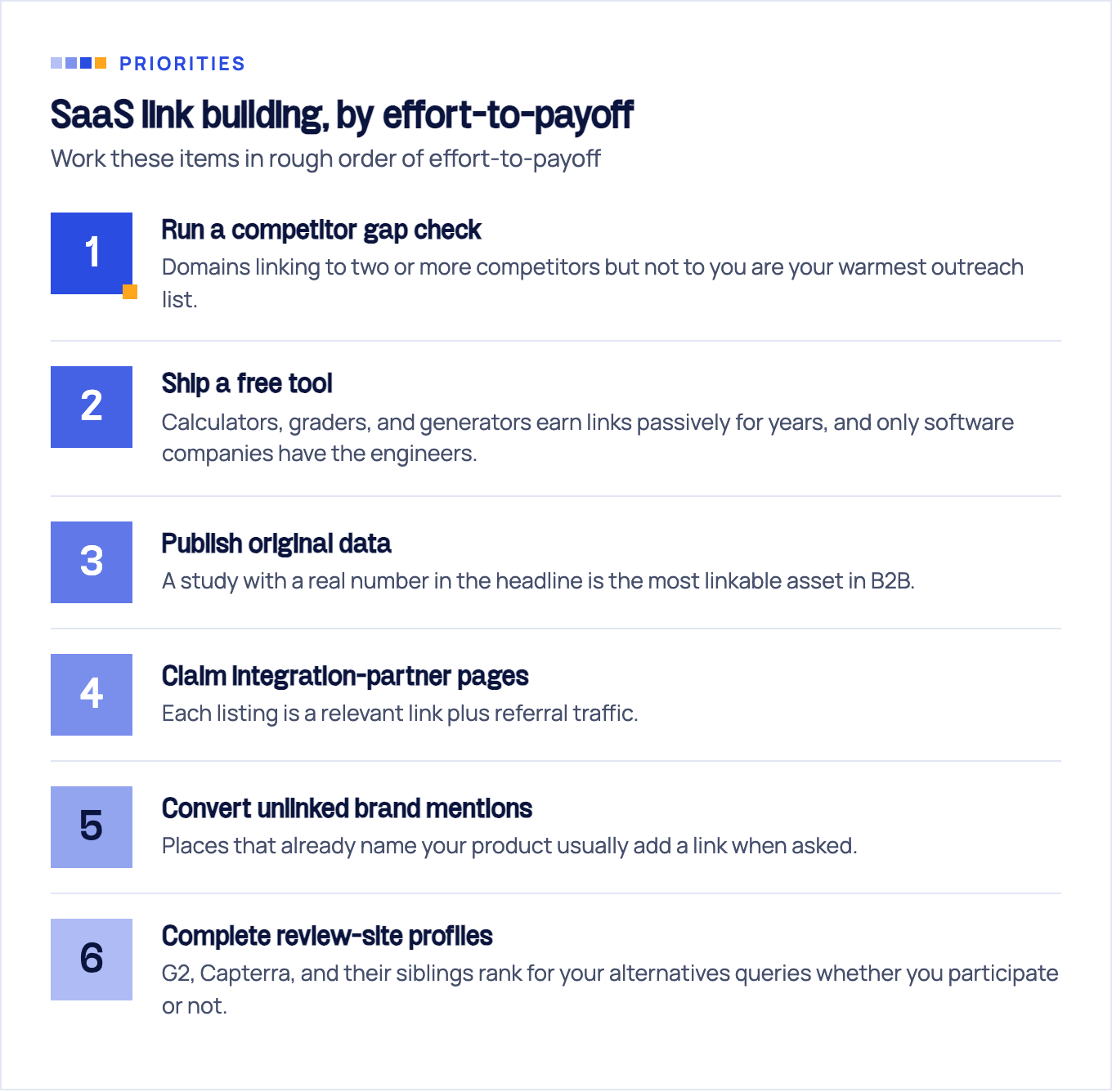
Work these items in rough order of effort-to-payoff:
- Run a competitor gap check. Domains linking to two or more competitors but not to you are your warmest outreach list.
- Ship a free tool. Engineering-as-marketing assets (calculators, graders, generators) earn links passively for years and are uniquely available to software companies. You have engineers.
- Publish original data. Aggregate anonymized product data or run a survey; a study with a real number in the headline is the most linkable asset in B2B.
- Claim integration-partner pages. Every tool you integrate with has a partners directory; each listing is a relevant link plus referral traffic.
- Convert unlinked brand mentions. Places that already name your product usually add a link when asked.
- Complete review-site profiles. G2, Capterra, and their siblings rank for your alternatives queries whether you participate or not. Participate.
Definition of done for this sprint is a pipeline, not a number: a repeatable monthly motion that produces relevant links without buying them. Tactics, templates, and what to avoid are in our SaaS link building playbook.
Sprint 6: AI search visibility
No ranking SaaS SEO checklist we could find covers this sprint, which is odd, because software buyers ask ChatGPT for tool recommendations every day. The items are cheap; skipping them is not.
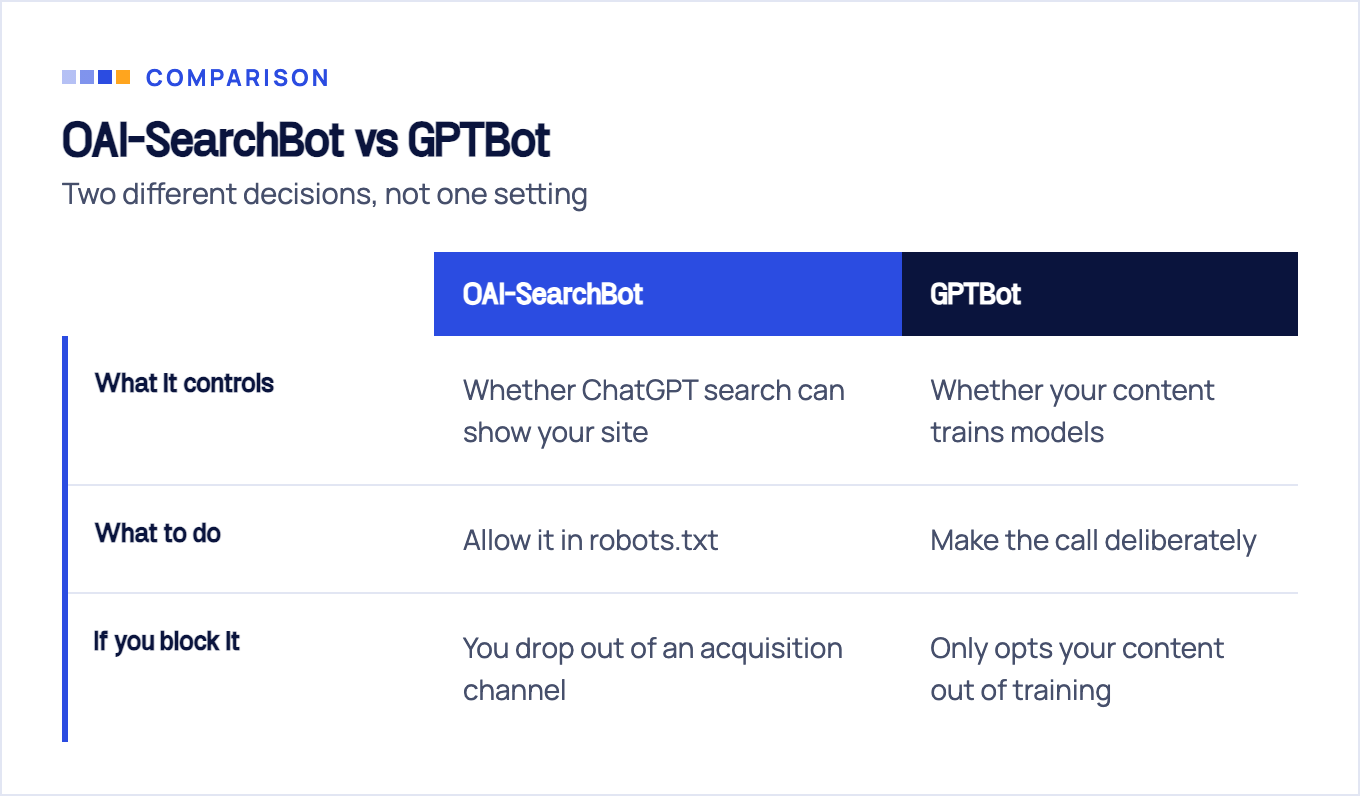
Verify robots.txt allows OAI-SearchBot. Per OpenAI’s crawler documentation, OAI-SearchBot is what surfaces websites in ChatGPT’s search results: a separate crawler and a separate decision from GPTBot, which governs use of your content for model training. The minimal allow rule:
User-agent: OAI-SearchBot
Allow: /
Make the GPTBot call deliberately. Blocking GPTBot does not remove you from ChatGPT search; it only opts your content out of training. Decide based on your content strategy, not on a default someone set in 2023. Note also that ChatGPT-User (the fetcher triggered when a user asks ChatGPT to open a page) may not respect robots.txt at all.
Write answer-first sections. An H2 that poses the question followed by a two-to-three-sentence direct answer is the unit AI search quotes. Long wind-ups get skipped by models the same way they get skipped by humans.
Keep entity descriptions consistent. Your one-line product description should match across your site, G2 profile, and LinkedIn page. AI systems reconcile entities across sources; contradictions cost you citations.
Add FAQ blocks to money pages. Pricing, comparison, and category pages should answer the questions buyers actually paste into chatbots.
How Google’s own AI surfaces select and cite pages is a related but distinct problem. Our guide to ranking in AI Overviews covers that side.
Measure pipeline, not positions
A SaaS SEO program is working when demos and trials from organic grow, even if total traffic is flat. Wire the measurement before you judge the results:
- Track trial and demo signups from organic as events in your analytics, segmented by landing page. This is the number the checklist exists to move.
- Limit rank tracking to the BOFU keyword set from Sprint 2. Positions on money keywords are a leading indicator; positions on TOFU terms are trivia.
- Re-run the checklist on a cadence. A monthly quick pass on Sprints 1 and 3, a full re-run quarterly, and Sprint 1 in full after any migration, redesign, or framework change. That last case is where technical regressions enter.
- Expect months, not weeks. New pages need to be crawled, indexed, and earn signals; judge the program on a quarterly trend line, not a two-week snapshot.
If you are pre-launch or pre-content, start with our guide to SEO for SaaS startups. It sequences the first steps for teams with no pages to audit yet. And if you would rather have the whole checklist run for you, that is the exact shape of our SaaS SEO service: we have spent 10+ years running this playbook, and the sprint structure above is how the work is actually delivered.
Sources & fact-check
Every factual claim in this article is checked against primary sources, not opinion. Written by Roman Sydorenko, Chief SEO & AI search. Last verified July 16, 2026.
- OfficialGoogle Search Central, Consolidate duplicate URLs (canonical is a strong signal, consolidates link signals)
- OfficialGoogle Search Central, Large site owner's guide to managing crawl budget (most sites do not need it)
- OfficialGoogle Search Central, Understanding Core Web Vitals and Google Search results (LCP 2.5s, INP 200ms, CLS 0.1)
- OfficialGoogle Search Central, JavaScript SEO basics (prerendering still advised, links need <a href> elements)
- OfficialOpenAI, Overview of OpenAI Crawlers (OAI-SearchBot surfaces sites in ChatGPT search, GPTBot is for training)
- Primary dataAhrefs, 96.55% of content gets no traffic from Google (study of ~14 billion indexed pages, names three causes)
